
By using this site, you agree to the Privacy Policy and Terms of Use.
Accept
TechotalesTechotalesTechotales
  • HOME
  • SMARTPHONES
  • BUSINESS
  • AI
  • AUTOMOBILE
  • TECHNOLOGY
  • TELECOM
  • WEARABLES
  • GADGET
  • TABLETS
  • FINANCE
  • APPS
  • TECH NEWS
  • GAMING
  • APPLIANCES
  • AUDIO
  • SOCIAL
  • LAPTOPS
  • CRYPTO
  • ABOUT US
  • DISCLAIMER
  • PRIVACY POLICY
  • CONTACT
  • TERMS OF USE
Copyright © Techotales | All Rights Reserved
Reading: OpenAI Enables ChatGPT App Integrations: Connect Spotify, Canva, Google Drive, And More – Step-By-Step Guide
Notification Show More
TechotalesTechotales
  • HOME
  • SMARTPHONES
  • BUSINESS
  • AI
  • AUTOMOBILE
  • TECHNOLOGY
  • TELECOM
  • WEARABLES
  • GADGET
  • TABLETS
  • FINANCE
  • APPS
  • TECH NEWS
  • GAMING
  • APPLIANCES
  • AUDIO
  • SOCIAL
  • LAPTOPS
  • CRYPTO
Follow US
  • ABOUT US
  • DISCLAIMER
  • PRIVACY POLICY
  • CONTACT
  • TERMS OF USE
Copyright © Techotales | All Rights Reserved.
Techotales > Blog > Apps > OpenAI Enables ChatGPT App Integrations: Connect Spotify, Canva, Google Drive, And More – Step-By-Step Guide
AppsTech News

OpenAI Enables ChatGPT App Integrations: Connect Spotify, Canva, Google Drive, And More – Step-By-Step Guide

OpenAI brings powerful app integration to ChatGPT, letting users access Spotify, Canva, Figma, Google Drive, and more without leaving the chat. Here’s how it works and how to set it up.

Prateesha Singh
Last updated: November 3, 2025 1:42 PM
Prateesha Singh - Content Writer
Share
ChatGPT App Integrations Guide
SHARE

If you thought ChatGPT was just answering questions, think again. OpenAI just dropped a game-changer that lets you hook up apps like Spotify, Canva, Figma, Slack, Google Drive, and Zapier right inside ChatGPT. No more switching between a dozen tabs to get things done.

Contents
  • How To Actually Connect Apps With ChatGPT?
    • Step 1: Sign in to ChatGPT
    • Step 2: Find the Apps Menu
    • Step 3: Check out the apps you want to link
    • Step 4: Link an App
    • Step 5: Make sure it works
    • Step 6: Try it out
    • Step 7: Disconnect later if you want
  • What Can You Actually Do with This?
    • Spotify
    • Canva
    • Figma
    • The Rest

“You can now chat with apps in ChatGPT,” the company announced on X. This means you can make a playlist, design graphics, or access your files without ever leaving the chat window. There is a catch, though, right now this works only if you are a ChatGPT Pro user with access to GPT-5 and the latest tools.

How To Actually Connect Apps With ChatGPT?
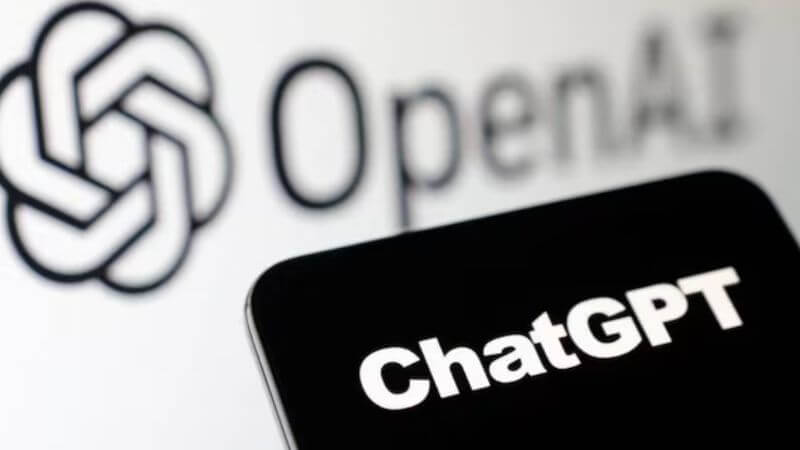
ChatGPT Subscriptions
Money Control

Let’s get your app talking to ChatGPT. Here is the process broken down.

Step 1: Sign in to ChatGPT

Pretty basic stuff, open ChatGPT and log in. Just make sure you have the ChatGPT Pro subscription because that’s your ticket in.

More Read

Gemini Omni 1.2 Flash
Google Launches Gemini Omni 1.2 Flash With 15-Second AI Videos, 4K Upscaling And Cheaper Pricing
OpenAI Launches ChatGPT Images 2.6 With GIF Creation And Faster Image Generation
Google Dreambeans App Launches In India With AI-Powered Daily Stories, Gmail, Photos And YouTube Integration
DSCI AI Liability Framework: Who Is Responsible When An AI Agent Makes A Mistake?
Anthropic Renames Claude Max Plans To Max And Ultra, Removes Five-Hour Usage Cap

Step 2: Find the Apps Menu

Look for settings. It is usually hiding behind your profile picture or those three lines in the corner. Click it, then hit apps and connectors.

Step 3: Check out the apps you want to link

You will see a bunch of apps. You can link up Spotify, Canva, Figma, and others that you actually use.

Step 4: Link an App

Click the app you want. ChatGPT will send you to that app login page. Type in your username and password, then say yes when it asks for permission.

Step 5: Make sure it works

The app should now show up as connected in your ChatGPT settings. That’s it, you are good to go.

Step 6: Try it out

Just type what you want in ChatGPT. Something like “Spotify: create a playlist for my workout” or “Canva: make a birthday invitation.” ChatGPT will figure it out and do it.

Step 7: Disconnect later if you want

Change your mind? Go back to settings, go to apps and connections, find the app, and click remove or disconnect.

What Can You Actually Do with This?

Spotify
Spotify

That’s where it gets interesting, each app does its part!

Spotify

Ask ChatGPT to build a playlist, hunt down specific songs, or suggest music that matches your vibe. Need focus music for work or party tracks for the weekend? Just ask and it’s done.

Canva
Canva
Canva

Create social media posts, design templates, or throw together presentations. Tell ChatGPT what you are thinking, and it works with Canva to make it happen. Great for small business owners or anyone who needs quick graphics.

Figma

If you are into design, you can tweak design files, adjust the layout, or bounce around UI designs. It is basically like having a design assistant who gets what you mean.

The Rest

Zapier helps you automate boring stuff. Slack keeps your team chat organized. Google Drive manages your files. All from one place.

This move from OpenAI is not just an update. It is a massive step toward the future of digital work. ChatGPT is no longer just a chatbot; it has transformed into a command center where your apps listen, respond, and execute. From building playlists to crafting designs to managing files, everything now happens through one intelligent interface. Productivity is evolving, workflows are being reinvented, and the idea of switching between apps might soon feel outdated.

With tools like Spotify, Canva, Figma, Zapier, and Google Drive plugged directly into ChatGPT, work just got faster, smoother, and a whole lot smarter. And this is only the beginning; the way we use apps is about to change forever. With this integration, OpenAI has signaled the next era of computing. AI will not assist us from the sidelines; it will run our digital world from the front seat. And trust us, this is only the beginning.

Follow Us: Facebook | X | Instagram | YouTube | Pinterest

Sign Up For Daily Newsletter

Be keep up! Get the latest breaking news delivered straight to your inbox.
[mc4wp_form]
By signing up, you agree to our Terms of Use and acknowledge the data practices in our Privacy Policy. You may unsubscribe at any time.
Share This Article
Facebook Whatsapp Whatsapp Reddit Email
What do you think?
Happy0
Love0
Sad0
Surprise0
Angry0
ByPrateesha Singh
Content Writer
Follow:
I’m a passionate writer and a graduate with a natural talent for storytelling. I find joy in both reading and writing. My commitment to social work enriches my literary journey. My journey is driven by a desire to make a difference through words and action.
Previous Article Nike Project Amplify Shoe Nike Introduces Project Amplify: Future-Ready Walking Shoes With Built-In Motors And Smart Support
Next Article Digital Footprint How To Delete Your Digital Footprint: A Step-By-Step Guide To Stop Google Tracking And Protect Your Online Privacy

Stay Connected

21.5KLike
331Follow
789Pin
160Follow
- Advertisement -

							banner							
							banner
Create an Amazing Newspaper
Discover thousands of options, easy to customize layouts, one-click to import demo and much more.
Learn More

Latest News

UPI Payments
India’s UPI Sets New Record With 25.47 Billion Payments In October
Finance
Claude AI 90 Percent Coding
Anthropic’s Claude AI Takes Over 90% Of Coding As Engineers Focus On AI Development
Tech News
Google Gemini Edit PDF Spreadsheets
Google Adds PDF, Document And Spreadsheet Editing To Gemini
Tech News
Gemini 4 Carbon
Google Gemini 4 Carbon Launched With Advanced Cybersecurity And Coding Features
Artificial Intelligence

Trending On Techotales

Genie 4
Artificial Intelligence

Google Genie 4 Can Create Interactive AI Worlds With Real-Time Sound

8 Min Read
Apple iPad Mini
Tablets

Apple iPad Mini 2026 Launched With OLED Display, A20 Pro Chip: Price In India

8 Min Read
Deepinder Goyal Temple Wearable Pre Order Price Details
Wearables

Deepinder Goyal’s Temple Device Could Cost ₹85,000 With Lifetime Subscription: Pre-Orders Begin November 1

7 Min Read
Canva Craft
Apps

Canva Launches Craft, Its First In-House AI Image Generation Model: Features, Access And How It Works

8 Min Read
Previous Next
TechotalesTechotales
Follow US
Copyright © Techotales | All Rights Reserved.
  • ABOUT US
  • DISCLAIMER
  • PRIVACY POLICY
  • CONTACT
  • TERMS OF USE
Popup Newsletter Image Techotales
Join Us!
Subscribe to our newsletter and never miss out the details on latest launches, tech news, gadgets etc...
[mc4wp_form]
We do not spam, you can unsubscribe at any time.