By using this site, you agree to the Privacy Policy and Terms of Use.
Accept
TechotalesTechotalesTechotales
  • HOME
  • SMARTPHONES
  • BUSINESS
  • AI
  • AUTOMOBILE
  • TECHNOLOGY
  • TELECOM
  • WEARABLES
  • GADGET
  • TABLETS
  • FINANCE
  • APPS
  • TECH NEWS
  • GAMING
  • APPLIANCES
  • AUDIO
  • SOCIAL
  • LAPTOPS
  • CRYPTO
  • ABOUT US
  • DISCLAIMER
  • PRIVACY POLICY
  • CONTACT
  • TERMS OF USE
Copyright © Techotales | All Rights Reserved
Reading: How To Create Custom Stickers On WhatsApp Without Third-Party Apps: A Step-by-Step Guide
Notification Show More
TechotalesTechotales
  • HOME
  • SMARTPHONES
  • BUSINESS
  • AI
  • AUTOMOBILE
  • TECHNOLOGY
  • TELECOM
  • WEARABLES
  • GADGET
  • TABLETS
  • FINANCE
  • APPS
  • TECH NEWS
  • GAMING
  • APPLIANCES
  • AUDIO
  • SOCIAL
  • LAPTOPS
  • CRYPTO
Follow US
  • ABOUT US
  • DISCLAIMER
  • PRIVACY POLICY
  • CONTACT
  • TERMS OF USE
Copyright © Techotales | All Rights Reserved.
Techotales > Blog > Apps > How To Create Custom Stickers On WhatsApp Without Third-Party Apps: A Step-by-Step Guide
AppsTech News

How To Create Custom Stickers On WhatsApp Without Third-Party Apps: A Step-by-Step Guide

Create photo stickers, AI-generated stickers, and custom sticker packs directly inside WhatsApp.

Prateesha Singh
Last updated: February 22, 2026 8:02 PM
Prateesha Singh - Content Writer
Share
WhatsApp Latest Features Updates
SHARE

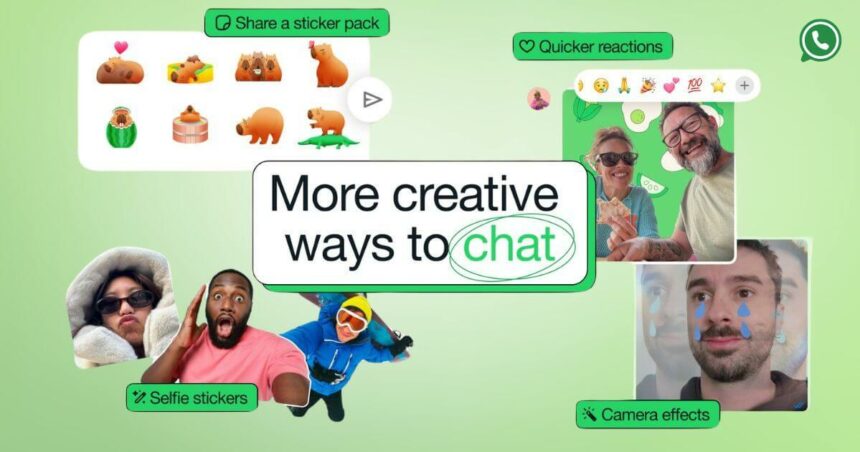
WhatsApp has expanded its creative toolkit by allowing users to create and manage custom stickers directly within the app. What once required third-party apps can now be done natively, from turning photos into stickers to generating AI-powered designs.

Contents
  • How To Make A Custom WhatsApp Sticker From Photo?
  • How To Make A Sticker On WhatsApp Using AI
  • How To Create A Sticker Pack In WhatsApp
  • Adding Stickers To An Existing Sticker Pack
  • Conclusion

With built-in tools for creating sticker packs and sharing them with others, WhatsApp is making chats more personalized and expressive than ever.

How To Make A Custom WhatsApp Sticker From Photo?

WhatsApp
WhatsApp

To transform any image on your phone into a sticker:

  • Click the chat and enter the section of stickers.
  • Tap the Create or pencil icon.
  • Select an image from your gallery or capture a new image using your camera.

On the preview screen, you can:

  • Tap on the send button to use the sticker.
  • Add a sticker emoji.
  • Add text.
  • Draw on the sticker.
  • Cancel and restart.

How To Make A Sticker On WhatsApp Using AI

More Read

YouTube New Monetization Rules
YouTube Updates Monetization Rules After 8 Years: What Creators Need To Know
Samsung Galaxy Z Fold 8 Pre-Orders Break Records, Production Gets 1 Million Unit Boost
Step-By-Step Guide To Use ChatGPT And Claude Voice Mode In 2026
xAI Launches Grok Imagine Image 2.0 With Smart Resize, Multi-Reference Editing And Typography Features
Flipkart Launches Pay Later Service In India: Pay After 30 Days Or In 3 EMIs

The WhatsApp platform also has an AI sticker feature that can create stickers from a text description:

  • Go to the stickers section of a chat.
  • Tap Create.
  • Select the Generate with AI button.
  • Type a brief text description of the sticker you want.
  • Tap Generate and choose to save the result.
  • AI stickers will appear alongside your normal custom stickers.

How To Create A Sticker Pack In WhatsApp

Whatsapp Call Recording
Pixabay

Sticker packs are used to store similar stickers:

  • Open the stickers section.
  • Tap Create or the pencil icon.
  • Choose one or several stickers that you have created.
  • Tap the three-dot menu.
  • Choose Add to sticker pack.
  • Select New sticker pack.
  • Name the pack and save it.

The sticker pack has now been added to your sticker tray.

Adding Stickers To An Existing Sticker Pack

  • Open the stickers section.
  • Tap Create or the pencil icon.
  • Select the sticker to be added.
  • Tap the three-dot menu.
  • Choose Add to sticker pack.
  • Select the pack that you would like to update and save.

Conclusion

WhatsApp’s built-in sticker creation tools remove the need for external apps and complicated editing steps. Whether you’re turning a favorite photo into a sticker, generating one with AI, or organizing everything into custom packs, the entire process now happens within a few taps.

For users who love adding personality to their chats, this feature makes sticker customization faster, easier, and more accessible. It’s another step toward making WhatsApp conversations more interactive and expressive.

Follow Us: Facebook | X | Instagram | YouTube | Pinterest

Sign Up For Daily Newsletter

Be keep up! Get the latest breaking news delivered straight to your inbox.
[mc4wp_form]
By signing up, you agree to our Terms of Use and acknowledge the data practices in our Privacy Policy. You may unsubscribe at any time.
Share This Article
Facebook Whatsapp Whatsapp Reddit Email
What do you think?
Happy0
Love0
Sad0
Surprise0
Angry0
ByPrateesha Singh
Content Writer
Follow:
I’m a passionate writer and a graduate with a natural talent for storytelling. I find joy in both reading and writing. My commitment to social work enriches my literary journey. My journey is driven by a desire to make a difference through words and action.
Previous Article WhatsApp Group Message History WhatsApp Introduces Group Message History Feature For New Members: Here’s How It Works
Next Article Sony PlayStation 6 PS6 Sony’s PlayStation 6 Leak Hints At 30 GB Memory And Major Performance Upgrade

Stay Connected

21.5KLike
331Follow
789Pin
160Follow
- Advertisement -

							banner							
							banner
Create an Amazing Newspaper
Discover thousands of options, easy to customize layouts, one-click to import demo and much more.
Learn More

Latest News

SEBI IPO 9 Companies
SEBI Clears IPO Plans Of 9 Companies Including PlaySimple Games, Rediff.Com India, Garuda Aerospace, And More
Finance
Jio Launches 3-In-1 Plans
Jio Launches 3-In-1 Plans With Wi-Fi, Live TV And OTT Apps: Price, Benefits And Details
Telecom
Moto Pad 70 Groove Features Pricing
Moto Pad 70 Groove Launched In India With 12.1-Inch 2.5K Display, 9 JBL Pro Speakers: Price And Features
Tablets
SarvamAI
India’s Sarvam AI Challenges OpenAI And Google With Cheaper Trillion-Parameter AI Model
Artificial Intelligence Tech News

Trending On Techotales

Amazon Great Freedom Sale 2026
Tech News

Amazon Great Freedom Sale 2026: Start Date, HDFC Bank Offers, Cashback And Price Crash Store

5 Min Read
Flipkart Freedom Sale 2026
Tech News

Flipkart Freedom Sale 2026 Announced: Sale Date, Early Access, Bank Offers And Discounts

6 Min Read
Google Selfie Video
Tech News

Google Selfie Video Feature Explained: How To Enable It For Sign-In And Recovery

7 Min Read
WhatsApp Media Storage
Apps

A Guide To Stop WhatsApp From Saving Media To Your Phone

5 Min Read
Previous Next
TechotalesTechotales
Follow US
Copyright © Techotales | All Rights Reserved.
  • ABOUT US
  • DISCLAIMER
  • PRIVACY POLICY
  • CONTACT
  • TERMS OF USE
Popup Newsletter Image Techotales
Join Us!
Subscribe to our newsletter and never miss out the details on latest launches, tech news, gadgets etc...
[mc4wp_form]
We do not spam, you can unsubscribe at any time.