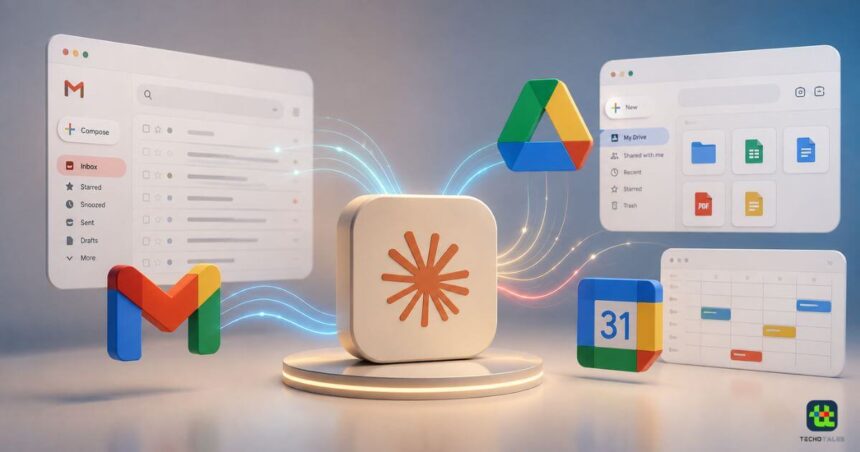
Anthropic is giving Claude more control over Google Workspace apps with an update to its connectors. The AI chatbot can now take more actions inside Gmail and Google Drive instead of simply reading information from connected accounts.
- Claude Can Now Send And Reply To Gmail Emails
- More Gmail Controls Inside Claude
- Claude Gets More Control Over Google Drive
- Google Calendar Connector Also Offers Several Actions
- Approval Controls Remain Important
- Who Can Use Claude’s Google Workspace Connectors?
- Claude’s Google Workspace Connector Capabilities
- Conclusion
With the updated Google Workspace connectors, Claude can send emails, reply to existing email threads and manage files in Google Drive. Users can also ask Claude to draft an email before approving it for sending. The update expands Claude’s role from an AI assistant that finds information to one that can complete certain tasks on a user’s behalf. Anthropic has also added more file and folder management capabilities in Google Drive. The company says the updated connectors are available to all Claude users, including those using Claude Desktop.
Claude Can Now Send And Reply To Gmail Emails
One of the biggest changes comes to Gmail. Previously, Claude could access email-related information through the Google Workspace connector. The updated system gives it more ability to act on that information. Users can ask Claude to draft a reply to an email thread. Once the draft is ready, Claude can send the response after receiving approval from the user. It can also send new emails and forward messages.



Anthropic has added an approval step to these actions. Claude will ask for permission before sending, replying to or forwarding an email on a user’s behalf. This gives users a final checkpoint before an external action is completed. It can be particularly useful when Claude is preparing responses to work emails or handling routine communication. However, organisations using Team and Enterprise plans have additional control. Anthropic says administrators can allow these actions to happen without requiring approval every time.
More Gmail Controls Inside Claude
The updated connector builds on the Gmail capabilities that were already available. Claude can access email metadata and organise emails using labels and threads. It can also list saved drafts within the Claude chat window. This means users do not necessarily have to switch between Claude and Gmail for every small task. Instead, they can ask Claude to find relevant messages, organise information and prepare responses from within the chatbot.
For professionals dealing with a large inbox, this could make Claude more useful for routine email management. The approval system remains an important part of the experience. Claude can prepare an action, but users retain control over whether the email is actually sent unless their organisation has enabled automatic execution.
Claude Gets More Control Over Google Drive
Google Drive is also receiving several new capabilities. Claude can now manage files and folders in Drive in addition to searching for and retrieving documents. Users can ask the chatbot to locate files, examine file information and perform actions on stored content. The connector supports actions such as sharing, moving and deleting files. Claude can also create folders and retrieve file metadata.
Another useful addition is the ability to save Claude-generated files directly to Google Drive. This could reduce the number of manual steps involved when creating documents or other files with Claude. For example, a user can work with information inside Claude, generate a file and then save the resulting document to Drive. The process can be handled through the connected workspace rather than requiring the user to download and upload the file manually.
Google Calendar Connector Also Offers Several Actions
The update also sits alongside Claude’s existing Google Calendar capabilities. Through the Google Workspace connectors, Claude can view calendar events and create new ones. It can also look for mutual availability and help set up meetings. Claude can manage attendee lists as well. This makes the Calendar connector useful for users who want to combine scheduling with email and document-related tasks. Together, Gmail, Google Drive and Google Calendar give Claude access to several parts of a typical workday.
Approval Controls Remain Important
Giving an AI assistant the ability to send emails or delete files creates a different level of risk compared with simply allowing it to read information. Anthropic has therefore kept approval controls for these actions. According to the company, Claude asks for approval before sending, replying to or forwarding emails.
Team and Enterprise customers get additional administrative controls. Organisations can enable these actions without requiring approval every time. This difference is important for businesses because administrators can decide how much autonomy Claude should have inside their Google Workspace environment.
Who Can Use Claude’s Google Workspace Connectors?
Anthropic says the Google Workspace connectors are available to all Claude users and Claude Desktop users. However, Team and Enterprise plan owners need to enable the ability to add these connectors. Once connected, users can access capabilities across Gmail, Google Drive and Google Calendar from Claude. The exact level of automation can depend on the permissions and controls configured for the account or organisation.
The update essentially turns Claude into a more capable workspace assistant. Instead of only answering questions about emails, files or meetings, it can now perform several actions related to them.
Claude’s Google Workspace Connector Capabilities
| Feature | Gmail | Google Drive | Google Calendar |
|---|---|---|---|
| Search Information | Yes | Yes | Yes |
| Read Content | Email Information | Documents | Events |
| Send Emails | Yes | No | No |
| Reply To Threads | Yes | No | No |
| Forward Emails | Yes | No | No |
| Manage Labels/Threads | Yes | No | No |
| Access Saved Drafts | Yes | No | No |
| Search Files | No | Yes | No |
| Retrieve Documents | No | Yes | No |
| Share Files | No | Yes | No |
| Move Files | No | Yes | No |
| Delete Files | No | Yes | No |
| Create Folders | No | Yes | No |
| Save Claude Files | No | Yes | No |
| View Events | No | No | Yes |
| Create Events | No | No | Yes |
| Find Mutual Availability | No | No | Yes |
| Manage Attendees | No | No | Yes |
Conclusion
The latest Google Workspace connector update makes Claude considerably more useful for everyday productivity. The chatbot can now go beyond finding information and take actions across Gmail and Google Drive. Email users can ask Claude to draft replies, send messages and forward emails. Drive users can search, move, share and delete files, create folders and save Claude-generated files directly to their accounts.
The approval system also gives users control over important actions, while Team and Enterprise customers get additional administrative options. With Gmail, Drive and Calendar connected, Claude is moving closer to becoming an AI workspace assistant that can handle tasks instead of simply suggesting what users should do.
Follow Us: Facebook | X | Instagram | YouTube | Pinterest