By using this site, you agree to the Privacy Policy and Terms of Use.
Accept
TechotalesTechotalesTechotales
  • HOME
  • SMARTPHONES
  • BUSINESS
  • AI
  • AUTOMOBILE
  • TECHNOLOGY
  • TELECOM
  • WEARABLES
  • GADGET
  • TABLETS
  • FINANCE
  • APPS
  • TECH NEWS
  • GAMING
  • APPLIANCES
  • AUDIO
  • SOCIAL
  • LAPTOPS
  • CRYPTO
  • ABOUT US
  • DISCLAIMER
  • PRIVACY POLICY
  • CONTACT
  • TERMS OF USE
Copyright © Techotales | All Rights Reserved
Reading: Inside Canva Visual Suite 2.0: Game-Changing Tools For Creators, Teams, And Brands
Notification Show More
TechotalesTechotales
  • HOME
  • SMARTPHONES
  • BUSINESS
  • AI
  • AUTOMOBILE
  • TECHNOLOGY
  • TELECOM
  • WEARABLES
  • GADGET
  • TABLETS
  • FINANCE
  • APPS
  • TECH NEWS
  • GAMING
  • APPLIANCES
  • AUDIO
  • SOCIAL
  • LAPTOPS
  • CRYPTO
Follow US
  • ABOUT US
  • DISCLAIMER
  • PRIVACY POLICY
  • CONTACT
  • TERMS OF USE
Copyright © Techotales | All Rights Reserved.
Techotales > Blog > Apps > Inside Canva Visual Suite 2.0: Game-Changing Tools For Creators, Teams, And Brands
AppsTech News

Inside Canva Visual Suite 2.0: Game-Changing Tools For Creators, Teams, And Brands

Explore the latest features in Canva Visual Suite 2.0, from AI-powered design tools to Canva Sheets — built for professionals, teams, and creators.

Prateesha Singh
Last updated: April 17, 2025 10:34 PM
Prateesha Singh - Content Writer
Share
Canva Visual Suite 2.0 Features Guide
SHARE

Canva made a significant advancement when it introduced Canva Visual Suite 2.0, a platform combining AI-powered functionalities and creativity tools with advanced design technology. The new Visual Suite update targets professional users and teams for everyday content, who want to experience faster and smarter collaborative design and content creation.

Contents
  • Canva Visual Suite 2.0: Latest Features
    • 1. Canva Sheets – The All-New Data Tool
    • 2. AI-Powered Magic Studio Tools
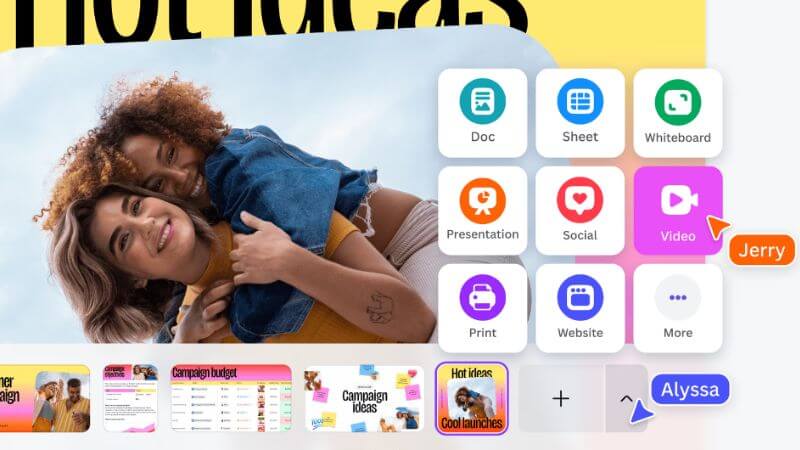
    • 3. One-Stop Design Workflows
    • 4. More Control For Admins And Brand Teams
    • 5. Real-Time Collaboration Made Easy
  • Canva Has 170 Million Global Users

Canva Visual Suite 2.0: Latest Features

1. Canva Sheets – The All-New Data Tool

Canva Visual Suite 2.0 Features
Canva

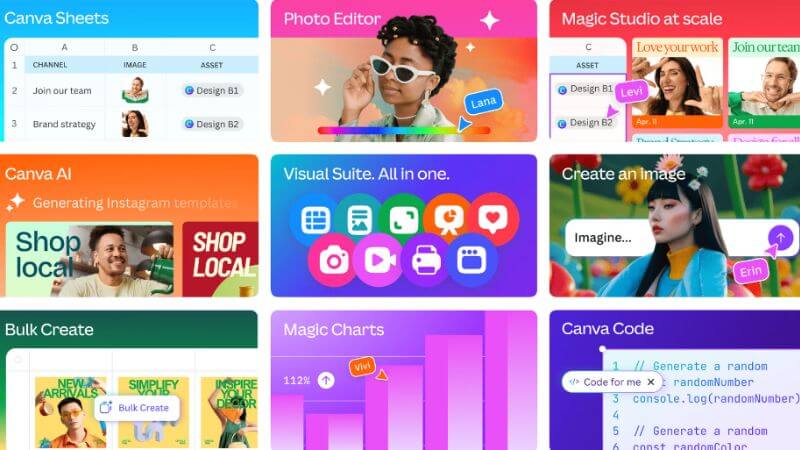
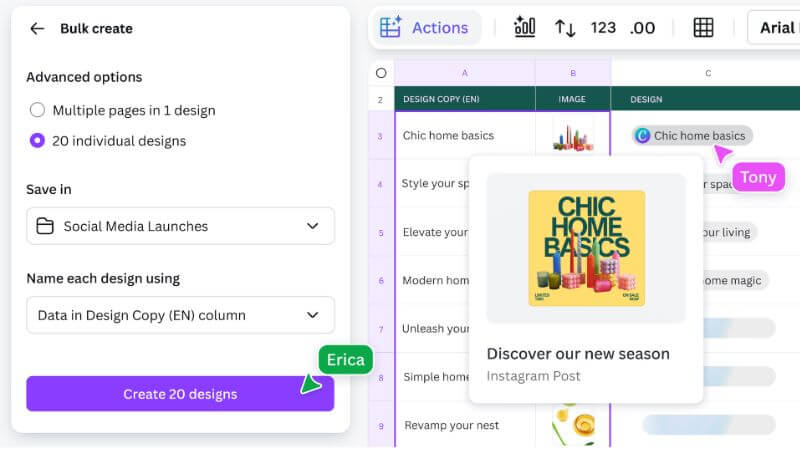
The update features Canva Sheets as its main attraction, which delivers visual spreadsheets through smart functionality. Users can convert spreadsheet data into professional-looking charts and diagrams through this application, which operates similarly to standard spreadsheet software. The application produces results suitable for professional reports, along with social media and presentation needs.

2. AI-Powered Magic Studio Tools

With Visual Suite, Canva extends its commitment to AI by developing advanced tools that belong to the Magic Studio category. Users benefit from Magic Design, together with Magic Write, Magic Switch, and Magic Edit, which automate content generation, design adaptation, and text translation. The company designed these upgrades to help users work more efficiently and make their creative work easier.

3. One-Stop Design Workflows
Canva Visual Suite 2.0
Canva

Canva delivers full end-to-end workflow capabilities through its platform so users can brainstorm their ideas while publishing final content outputs. Users now have the advantage of streamlining their project management tasks to one platform while eliminating the need to navigate between different applications.

4. More Control For Admins And Brand Teams

More Read

iPhone 16e Detailed Features
With The Apple iPhone 16e Launched, These iPhone Models Are Discontinued In India – Check Out!
What Is Reliance JioMotive? The Affordable Smart Tech That Turns Old Cars Into Smart Vehicles – Here’s How It Works
10 Best Google Gemini Prompts For Unique Pre-Wedding Photoshoots
Instagram Now Lets You Share Spotify Songs With Audio Preview: Here’s How
Frustrated By Unknown Calls? Here’s How To Reduce Spam Calls With Simple Phone Habits

The platform offers professional brand management capabilities for companies utilizing Canva across their large teams. Business administrators maintain full control through Canva by setting brand rules and managing content access and tracking while locking down templates and implementing approval procedures.

5. Real-Time Collaboration Made Easy

Collaboration remains a core focus. Teams use Canva to simultaneously design projects in real time, along with capabilities to give feedback on designs and delegate work, which automatically synchronizes all updates instantly. Cohesion becomes stronger, and work productivity rises when teams operate together in real time within this system, particularly for workplaces with demanding pace requirements.

Canva Has 170 Million Global Users
Canva New Update
Canva

Canva has successfully attracted more than 170 million global users, so it now offers a complete productivity arsenal beyond its original design framework. Canva brings graphical content creation with spreadsheet functionality and AI software to reach every level for creating content.

Marketers and educators, among others, find particular value in this recent Canva Visual Suite update because it provides a simple platform and manages content development along with publishing tasks, and data analysis for startups and remote teams.

Follow Us: Facebook | X | Instagram | YouTube | Pinterest

AI Now Writes 25% of Big Tech Code: The Silent Tech Industry Shift Explained
Logitech K980 Solar Keyboard Launched In India: 10-Year Battery And Multi-Device Support
Google Gemini AI Daily Limits Of Prompts Revealed: Free, Pro, And Ultra Plans Explained
Google Nano Banana Pro: Powerful New AI Image Generator With Gemini 3 Pro
OpenAI Launches GPT-5.4 With AI Agents That Can Operate Computers

Sign Up For Daily Newsletter

Be keep up! Get the latest breaking news delivered straight to your inbox.
[mc4wp_form]
By signing up, you agree to our Terms of Use and acknowledge the data practices in our Privacy Policy. You may unsubscribe at any time.
Share This Article
Facebook Whatsapp Whatsapp Reddit Email
What do you think?
Happy0
Love0
Sad0
Surprise0
Angry0
ByPrateesha Singh
Content Writer
Follow:
I’m a passionate writer and a graduate with a natural talent for storytelling. I find joy in both reading and writing. My commitment to social work enriches my literary journey. My journey is driven by a desire to make a difference through words and action.
Previous Article Noise Air Buds Pro 6 Features Pricing Noise Air Buds Pro 6 Launched In India: Premium Features At An Affordable Price
Next Article Moto Book 60 Price Features India Moto Book 60 Launched: Motorola’s First-Ever Laptop Debuts In India; Check Out Prices And Features

Stay Connected

21.5KLike
331Follow
789Pin
160Follow
- Advertisement -

							banner							
							banner
Create an Amazing Newspaper
Discover thousands of options, easy to customize layouts, one-click to import demo and much more.
Learn More

Latest News

CMF Watch 3 Pro Specifications
CMF Watch 3 Pro Launched In India With ChatGPT Integration: Price, And Specifications
Wearables
ChatGPT Meet Your Younger Self
ChatGPT ‘Meet Your Younger Self’ Trend Goes Viral: How To Create Your AI Image
Artificial Intelligence
Netflix Clips
Netflix Adds ‘Clips’ Feed With Vertical Videos In Major App Redesign
Apps
OnePlus Pad 4 Price Specs
OnePlus Pad 4 With Snapdragon 8 Elite Gen 5 Launched In India: Full Specs And Price
Tablets
TechotalesTechotales
Follow US
Copyright © Techotales | All Rights Reserved.
  • ABOUT US
  • DISCLAIMER
  • PRIVACY POLICY
  • CONTACT
  • TERMS OF USE
Popup Newsletter Image Techotales
Join Us!
Subscribe to our newsletter and never miss out the details on latest launches, tech news, gadgets etc...
[mc4wp_form]
We do not spam, you can unsubscribe at any time.