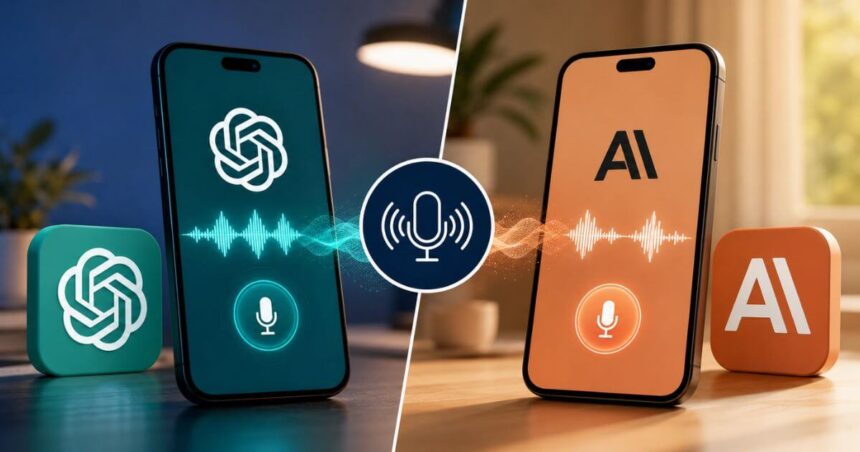
Talking to an AI assistant no longer feels like a simple question-and-answer session. In 2026, both ChatGPT and Claude have pushed voice interaction further, making it easier to ask questions, brainstorm ideas, learn new topics or get work done without typing every prompt.
OpenAI introduced GPT-Live in July 2026 as the technology powering its latest ChatGPT Voice experience. It uses a full-duplex architecture, allowing the model to listen and speak at the same time. Anthropic’s Claude Voice is also available across its mobile apps and web experience, with hands-free and push-to-talk options.
The two services work differently, though. So, if you are planning to use AI through voice, here is how to get started with ChatGPT and Claude.


How To Use Voice Mode On ChatGPT
ChatGPT Voice is available through ChatGPT on the web and on iOS and Android. The latest Live experience is powered by GPT-Live-1 for paid users and GPT-Live-1 mini for Free users. To start a voice conversation, follow these steps:
- Open the ChatGPT app on your Android or iPhone, or visit ChatGPT.com.
- Start or open a chat.
- Tap the Voice icon in the message bar.
- Allow microphone access if prompted.
- Choose a voice if this is your first voice conversation.
- Start speaking normally.
- Tap the microphone button to mute or unmute yourself.
- Tap the exit button when you want to end the conversation.
One of the biggest changes with GPT-Live is its ability to listen while speaking. This makes interruptions and back-and-forth conversations feel more natural. It can also use web search and memory where available, while text and images can remain part of the same conversation.
ChatGPT can also handle deeper tasks in the background. OpenAI says GPT-Live can delegate search and complex reasoning to GPT-5.5 while keeping the voice conversation going.
How To Change Voice Settings In ChatGPT
ChatGPT offers several voice choices. You can change the selected voice from Settings > Voice. The available voices include Arbor, Breeze, Cove, Ember, Juniper, Maple, Sol, Spruce and Vale.
You can also switch between Live, Advanced and Standard voice experiences where those options are available. Live is designed for natural real-time conversations, while Advanced continues to support features such as video and screen sharing on eligible mobile accounts.
It is worth noting that GPT-Live does not currently support video or screen sharing itself. Users who need those features can continue using Advanced Voice where available.
How To Use Voice Mode On Claude

Claude Voice is available in beta across Claude plans and on Claude’s iOS and Android apps. It is also available through the web experience. Here is how to start:
- Open the Claude app on Android or iOS, or log in through the web.
- Start a new conversation.
- Tap the voice/waveform icon near the microphone button.
- Allow microphone access if requested.
- Choose your preferred voice on mobile.
- Start speaking.
- Continue the conversation naturally.
- Tap Stop when you want to leave voice mode.
Claude lets users switch between text and voice in the same conversation. Your previous context remains available, so you can start by typing and later continue by speaking.
Claude Hands-Free And Push-To-Talk Modes
Claude offers two ways to interact through voice. Hands-free mode continuously listens and responds when it detects a natural pause. It is better suited to quiet environments. There is also Push-to-talk mode. You hold the button while speaking and release it when finished. This can be more useful in noisy places where background sounds could confuse the voice detection system.
Claude also allows users to change the voice and pace from its voice settings. Voice conversations count toward the normal usage limits associated with the user’s plan.
How To Change Language And Voice On Claude
Claude supports multiple languages, including English, French, German, Hindi, Italian, Japanese, Korean, Portuguese and Spanish. Anthropic also says users can communicate with Claude in languages beyond the interface language.
For Indian users, Hindi support is particularly useful. You can change the language settings through Claude’s preferences, while voice mode also supports multilingual input in beta.
ChatGPT Vs Claude Voice: Key Features
| Feature | ChatGPT Voice | Claude Voice |
|---|---|---|
| Latest voice technology | GPT-Live | Claude Voice |
| Architecture | Full-duplex | Voice conversation with hands-free/push-to-talk modes |
| Free access | GPT-Live-1 mini, subject to limits | Available on Free plan, subject to limits |
| Paid access | GPT-Live-1 | Model availability depends on plan |
| Platforms | Web, iOS, Android | Web, iOS, Android |
| Natural interruptions | Yes | Yes, with voice controls |
| Web search | Supported | Supported |
| Text + voice in same chat | Yes | Yes |
| Voice choices | Multiple voices | Multiple voices |
| Hindi support | Available according to ChatGPT language availability | Supported |
| Video/screen sharing | Advanced Voice on eligible accounts | Not a core Voice feature |
| Hands-free mode | Voice conversation | Yes |
| Push-to-talk | Voice controls | Yes |
Which Voice Assistant Should You Use?
The answer depends on what you want to do. ChatGPT’s GPT-Live is particularly interesting if you want a conversational experience with natural interruptions, web search and deeper reasoning running in the background. OpenAI has designed it around continuous interaction rather than waiting for every turn to finish.
Claude makes a strong case for users who prefer a straightforward voice workflow. Its hands-free mode is useful for conversations while commuting or doing household tasks, while push-to-talk gives you better control in noisy surroundings.
For Indian users, both are worth trying. Claude already offers Hindi among its supported languages, while ChatGPT also supports voice conversations across supported languages and regions. The better choice will ultimately depend on the type of conversations and tasks you use most.
Conclusion
Voice AI has moved well beyond simply converting speech into text. ChatGPT and Claude can now hold extended spoken conversations and let users move between voice and text without losing context.
ChatGPT’s GPT-Live focuses heavily on natural, continuous conversation and background reasoning. Claude takes a more flexible approach with hands-free and push-to-talk modes. Both have free options, making it easy to test them before deciding which one fits your daily workflow better.
Follow Us: Facebook | X | Instagram | YouTube | Pinterest