

By using this site, you agree to the Privacy Policy and Terms of Use.
Accept
TechotalesTechotalesTechotales
  • HOME
  • SMARTPHONES
  • BUSINESS
  • AI
  • AUTOMOBILE
  • TECHNOLOGY
  • TELECOM
  • WEARABLES
  • GADGET
  • TABLETS
  • FINANCE
  • APPS
  • TECH NEWS
  • GAMING
  • APPLIANCES
  • AUDIO
  • SOCIAL
  • LAPTOPS
  • CRYPTO
  • ABOUT US
  • DISCLAIMER
  • PRIVACY POLICY
  • CONTACT
  • TERMS OF USE
Copyright © Techotales | All Rights Reserved
Reading: Google Photos 2025 Recap: Steps To Turn Your Photos Into AI Highlight Videos
Notification
TechotalesTechotales
  • HOME
  • SMARTPHONES
  • BUSINESS
  • AI
  • AUTOMOBILE
  • TECHNOLOGY
  • TELECOM
  • WEARABLES
  • GADGET
  • TABLETS
  • FINANCE
  • APPS
  • TECH NEWS
  • GAMING
  • APPLIANCES
  • AUDIO
  • SOCIAL
  • LAPTOPS
  • CRYPTO
Follow US
  • ABOUT US
  • DISCLAIMER
  • PRIVACY POLICY
  • CONTACT
  • TERMS OF USE
Copyright © Techotales | All Rights Reserved.
Techotales > Blog > Tech News > Google Photos 2025 Recap: Steps To Turn Your Photos Into AI Highlight Videos
Tech NewsTechnology

Google Photos 2025 Recap: Steps To Turn Your Photos Into AI Highlight Videos

Google Photos uses AI to transform a year’s worth of memories into a customisable video recap.

Prateesha Singh
Last updated: December 29, 2025 6:48 PM
Prateesha Singh - Content Writer
Share
Google Photos 2025 Recap To AI Highlight Video
SHARE

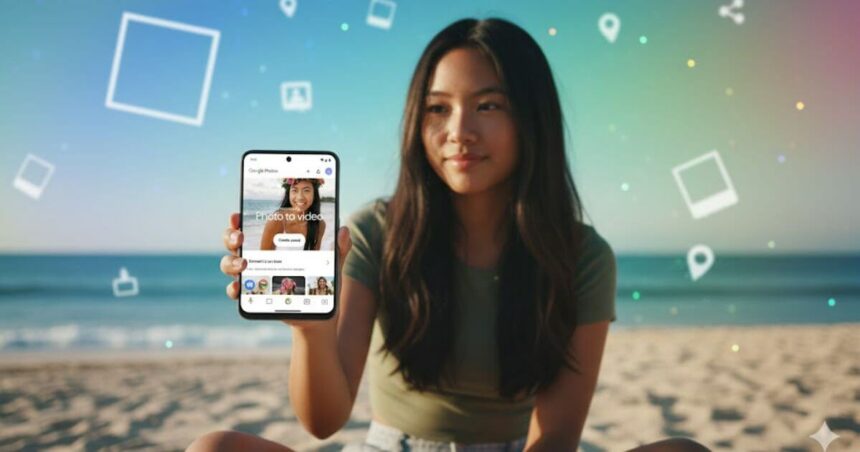
Most of us click hundreds, sometimes thousands, of photos every year. They sit quietly in our phones, rarely revisited once the moment passes. Google Photos is now trying to change that habit. With its new 2025 Recap feature, Google uses AI to turn your scattered photos and videos into a meaningful highlight reel. No manual editing. No hours spent trimming clips. Just a ready-made memory video that you can tweak if you want.

Contents
  • How Does It Work?
  • Editing Options
    • Quick Editing Tools
    • Advanced Editing With CapCut
  • Sharing Your Recap
  • What Do You Need To Get Started?
    • Enable Backup
    • Turn On Face Groups
    • Update Your App
  • Conclusion

How Does It Work?

Google Photos
Google

More Read

Google OpenAI Anthropic
Google, OpenAI And Anthropic Are Building Multiple AI Models For Different Tasks: Here’s Why
Apple Is Developing An AI Agent That Can Write Code, Control Apps And Browse The Web
Blue Cloud Softech Launches BluVaani AI For Police Helplines Works Without Internet: Features Explained
Google Launches Gemini 4 Neon: Features, Pricing, Benchmarks And Availability
OpenAI Launches GPT-6.2 Astra And Sol: Features, Pricing And Availability

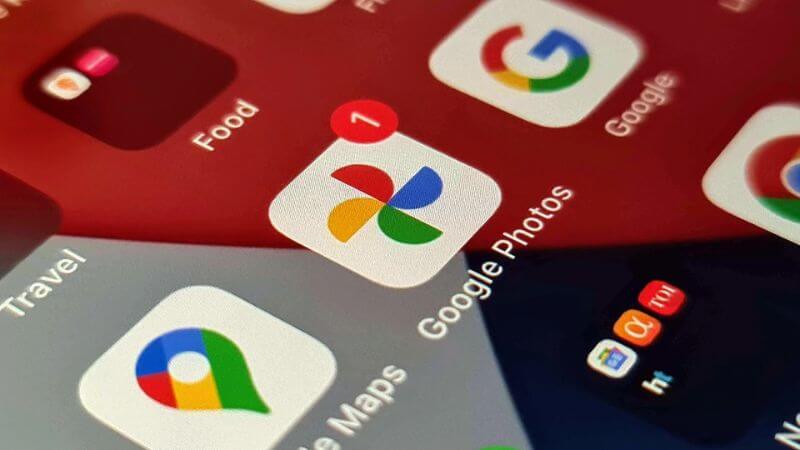
You will get a notification in the Google Photos app when your 2025 recap is ready. The video shows up in the Memories section at the top of the app. That’s where you normally see your daily memories and older photos that pop up.

Google AI looks through your photos from the entire year and picks out the best ones. It chooses based on image quality, who is in the photos, and what moments seem important. But you are not stuck with what it picks.

If there are people in the photos you don’t want in the video, just hide them and make it generate a new version. Maybe there is an ex you would rather forget or an awkward photo you hate. Remove it and regenerate. You can do this as many times as you want.

Editing Options

Google knows everyone wants different things from their recap, so it has added editing options for different skill levels.

Quick Editing Tools

The basic editing tools let you hide specific photos or people before regenerating the video. It is fast and simple. You don’t need any video editing experience to use these.

Advanced Editing With CapCut

Want more control? Google added CapCut integration for people who like to get creative. CapCut is a video editing app with professional tools. You can use it to add:

  • Custom transitions
  • Different music
  • Filters and effects
  • Text and captions
  • Better timing between clips

Casual users get a great video with minimal effort. Creative users can dive into the finer details and make something really polished.

Sharing Your Recap

Once your video is done, sharing is straightforward. You can send it directly to:

  • Social media like Instagram, Facebook, and X
  • Messaging apps like WhatsApp, Telegram, and Messenger
  • Email for family and friends

Google also lets you turn your highlights into photo books or collages. These are physical items you can hold, place on a shelf, or gift to someone. Sometimes it’s nice to have printed memories instead of everything staying on a screen.

What Do You Need To Get Started?

Before you can use the 2025 recap, check these three things.

Enable Backup

Your photos need to be backed up to Google Photos. Without backup, the AI can’t see your photos to make the recap. Open Google Photos, go to settings, and make sure backup is turned on.

Turn On Face Groups

This setting lets Google Photos recognise people in your photos. The AI uses this to make sure important people show up in your recap. Turn it on in settings under preferences.

Update Your App

Make sure you have the latest version of Google Photos. New versions include bug fixes and improvements that make the recap work better. Check your App Store for updates.

Conclusion

Honestly, this feature is genuinely useful. I have hundreds of photos from this year alone that I have never revisited. Having something that automatically turns them into a decent video saves a lot of time. The ability to customise it matters too, because AI doesn’t always get it right. Sometimes it picks weird photos or includes people you no longer want to see.

The CapCut integration is a smart move. Regular users get a ready-to-share video instantly, while those who care about details can fine-tune everything. It strikes a good balance between simplicity and control.

Overall, this makes Google Photos feel more like a memory tool instead of just a storage app. If other platforms copy this idea, even better. Competition always pushes products to improve faster.

Follow Us: Facebook | X | Instagram | YouTube | Pinterest

Share This Article
Facebook Whatsapp Whatsapp Reddit Email
ByPrateesha Singh
Content Writer
Follow:
I’m a passionate writer and a graduate with a natural talent for storytelling. I find joy in both reading and writing. My commitment to social work enriches my literary journey. My journey is driven by a desire to make a difference through words and action.
Previous Article CNAP TRAI Caller Name Display Jio, Airtel, Vi, And BSNL Roll Out CNAP Feature To Stop Scam And Silent Calls In India
Next Article SynthID Google Gemini AI Identify Images How To Identify AI-Generated Images And Videos Using Google’s Gemini App

Stay Connected

FacebookLike
XFollow
InstagramFollow
YoutubeSubscribe
WhatsAppFollow
ThreadsFollow

Latest News

GTA 6 All Endings Explained
GTA 6 Endings Explained: What Happens To Jason And Lucia In Every Ending And How To Unlock Them
Gaming
GTA 6 All Missions List
GTA 6 All Missions List: Every Chapter And Story Mission From Start To Finish For PS5 And Xbox
Gaming
GTA 6 Creates History Earns $3.79 Billion
GTA 6 Creates History, Earns $3.79 Billion (Approx ₹35,000 Crore) In Just 24 Hours, Beats Avengers: Endgame
Gaming
GTA 6 61 Cheat Codes Unlock
GTA 6 Has 61 Cheat Codes For PS5 And Xbox: Check All Cheats And How To Use Them
Gaming

Trending On Techotales

Meta Muse AI Agent Pricing India
Artificial Intelligence

Meta Muse AI Agent Can Book Flights, Manage Emails And More: India Price Revealed

5 Min Read
WhatsApp
Tech News

WhatsApp Plans AI-Powered Assistance, Easier Payments And More Everyday Services

10 Min Read
Google AI Studio Can Now Build Google Maps
Tech News

Google AI Studio Can Now Build Google Maps Apps With Just One Prompt

8 Min Read
Deepinder Goyal Temple Device
Wearables

Temple Wearable Controversy: Why Deepinder Goyal Says India Is Not Its Target Market

10 Min Read
Previous Next
TechotalesTechotales
Follow US
Copyright © Techotales | All Rights Reserved.
  • ABOUT US
  • DISCLAIMER
  • PRIVACY POLICY
  • CONTACT
  • TERMS OF USE