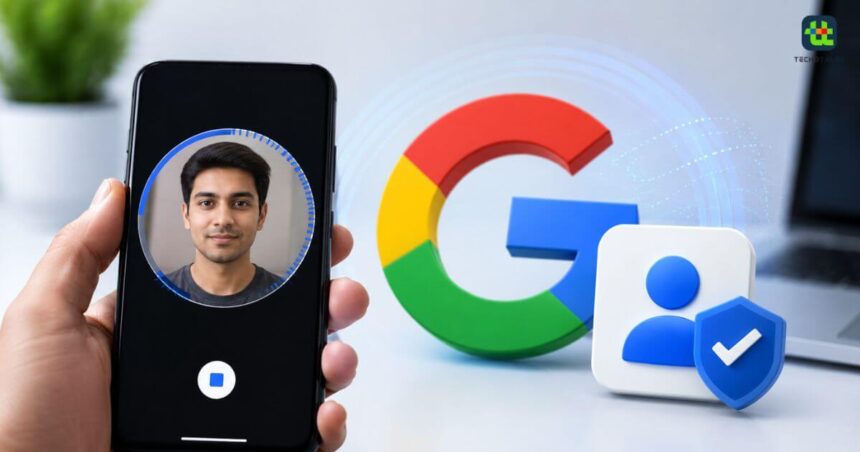
Google has introduced a new way to help users protect and recover their accounts through a selfie video verification feature. Instead of relying only on traditional recovery options such as recovery email addresses or phone numbers, users can now record a short selfie video that Google can use to verify their identity during sign-in or account recovery.
The feature is designed to make account recovery easier while adding another layer of security. However, it is currently rolling out gradually and is not available for every Google account or in every country. If the feature is available for your account, here’s everything you need to know about setting it up and how it works.
What Is Google’s Selfie Video Feature?
Forgot your password? Lost your phone? Can’t get into your account?
You can now use a selfie video to log into your Google Account.
The new feature is easy to use and lets you sign in — even if you forget your password or don’t have your usual phone or laptop — with a quick… pic.twitter.com/3TbdIKLTM9
— Google (@Google) July 23, 2026Google’s selfie video feature allows users to record a short video of themselves and securely link it to their Google Account.
More From Techotales



If you ever forget your password or cannot sign in using traditional recovery methods, Google may ask you to record another short video. The company then compares it with the previously saved selfie video to confirm that you’re the legitimate account owner.
Apart from account recovery, Google says the feature may also be used to verify that a real person is accessing certain Google services and features.
How To Set Up A Selfie Video For Your Google Account
Before getting started, make sure you’re already signed in to your Google Account. It’s important to note that you cannot add a selfie video if you’re already locked out of your account or while the account recovery process is underway.
Follow these steps:
- Open your Google Account.
- Navigate to Security & Sign-in.
- Under How you sign in to Google, select Selfie Video.
- Tap Continue on the “Add selfie for sign-in” page.
- Follow the on-screen instructions to record your selfie video.
- Once completed, the video will be securely linked to your Google Account.
If you’re using a desktop or laptop without a webcam, Google will display a QR code. Simply scan it using another device that has a camera to complete the verification process.
Things To Know Before Recording Your Selfie Video
To improve the chances of successful verification, Google recommends following a few basic guidelines before recording your video.
Ensure your device has an active Wi-Fi or mobile data connection so the verification process can be completed without interruptions.
You’ll also need to allow camera access to your browser or smartphone if permission hasn’t already been granted.
While recording, make sure your eyes, nose, and mouth are clearly visible. Remove sunglasses, masks, hats, or anything else that may partially cover your face.
Google also recommends recording the video in an environment where no other people or photographs of faces appear in the background, as this could interfere with the verification process.
If you’re using Google Chrome and receive a message saying the camera is unavailable, updating the browser and trying again may resolve the issue.
How Google Uses Your Selfie Video
The saved selfie video acts as a reference for future identity verification.
If you ever forget your password or lose access to your account, Google may ask you to record another short video while performing a simple action, such as turning your head.
The newly recorded clip is then compared with the selfie video already stored in your account. If the two videos match, Google confirms your identity and allows you to continue with the account recovery process.
Google also advises users to update their saved selfie video if their appearance changes significantly over time to improve verification accuracy.
Who Cannot Use The Feature?
The selfie video option is currently unavailable for certain types of Google accounts.
These include:
- Google Workspace accounts
- Child accounts
- Google Accounts enrolled in the Advanced Protection Program
Google has also confirmed that the feature is rolling out gradually, meaning availability may differ depending on your country, device, and account type.
Can You Delete Your Selfie Video?
Yes. Google allows users to remove their saved selfie video whenever they want.
Simply visit the Selfie Video section in your Google Account settings and choose Delete.
Keep in mind that deleting the video means you will no longer be able to use it for account recovery or sign-in verification.
Google also notes that while the video will eventually be deleted, it may retain it temporarily for security reasons or longer if necessary to enforce its policies.
Users can also decide whether Google is allowed to use their selfie video to improve verification technologies such as facial recognition and age estimation. This preference can be changed at any time from the Selfie Video settings page.
Conclusion
Google’s new selfie video feature offers a convenient and secure way to verify your identity if you ever lose access to your account. While it won’t replace traditional recovery methods entirely, it provides an additional safeguard that could make account recovery faster and more reliable. Since the feature is still rolling out, not every user will see it immediately. However, if it’s available for your account, setting it up only takes a few minutes and could prove valuable when you need it most.
Follow Us: Facebook | X | Instagram | YouTube | Pinterest