By using this site, you agree to the Privacy Policy and Terms of Use.
Accept
TechotalesTechotalesTechotales
  • HOME
  • SMARTPHONES
  • BUSINESS
  • AI
  • AUTOMOBILE
  • TECHNOLOGY
  • TELECOM
  • WEARABLES
  • GADGET
  • TABLETS
  • FINANCE
  • APPS
  • TECH NEWS
  • GAMING
  • APPLIANCES
  • AUDIO
  • SOCIAL
  • LAPTOPS
  • CRYPTO
  • ABOUT US
  • DISCLAIMER
  • PRIVACY POLICY
  • CONTACT
  • TERMS OF USE
Copyright © Techotales | All Rights Reserved
Reading: How To Block Unwanted Numbers On WhatsApp And Stop Spam Calls: Complete Guide
Notification Show More
TechotalesTechotales
  • HOME
  • SMARTPHONES
  • BUSINESS
  • AI
  • AUTOMOBILE
  • TECHNOLOGY
  • TELECOM
  • WEARABLES
  • GADGET
  • TABLETS
  • FINANCE
  • APPS
  • TECH NEWS
  • GAMING
  • APPLIANCES
  • AUDIO
  • SOCIAL
  • LAPTOPS
  • CRYPTO
Follow US
  • ABOUT US
  • DISCLAIMER
  • PRIVACY POLICY
  • CONTACT
  • TERMS OF USE
Copyright © Techotales | All Rights Reserved.
Techotales > Blog > Apps > How To Block Unwanted Numbers On WhatsApp And Stop Spam Calls: Complete Guide
AppsTechnology

How To Block Unwanted Numbers On WhatsApp And Stop Spam Calls: Complete Guide

A simple guide to block unwanted WhatsApp contacts and improve your digital privacy.

Prateesha Singh
Last updated: December 11, 2025 11:07 PM
Prateesha Singh - Content Writer
Share
Block WhatsApp Unwanted Numbers
SHARE

Your phone buzzing nonstop with unknown calls or spam messages has become a daily annoyance. WhatsApp may connect billions of people across the world, but that same reach has also allowed scammers, telemarketers, and unwanted contacts to reach you more easily than ever. What should be a convenient messaging app often ends up causing frustration. Thankfully, WhatsApp provides simple tools to block these intrusions and regain control over your privacy.

Contents
  • Methods To Block Unwanted Numbers On WhatsApp

  • Extra Privacy Settings Worth Enabling
  • Your Privacy, Your Choice
  • Conclusion

Methods To Block Unwanted Numbers On WhatsApp

WhatsApp
WhatsApp

Well, now there are two methods you can use to block unwanted numbers on WhatsApp. Let’s have a look at them.

Method 1

  • Open WhatsApp and go to the chat with the unwanted number.
  • Tap the three dots in the top right corner of the chat.
  • Tap More and Block.
  • Once again, you have to tap Block to confirm whether it’s blocked or not.

Method 2

  • Open WhatsApp and go to Settings > Privacy > Blocked contacts.
  • Tap Add.
  • Search for the unwanted number and tap it to select it.
  • Tap Block to confirm the action.

More Read

WhatsApp Business API Features
WhatsApp Business API: Features, Benefits, And Future In India
Best Google Gemini AI Prompts To Enhance Family Photos With Realistic Details
YouTube Shorts Disable Feature: How To Turn Off Infinite Scrolling In Seconds
Quick Share Brings Effortless Offline File Sharing Between Android And iPhone: How It Works
Google Maps Introduces Alerts For Flyovers, Narrow Roads, And More

The numbers tell a shocking story. Research shows that 65% of WhatsApp users receive spam messages monthly. Scam calls have jumped by 47% globally in just two years. That’s nearly half more unwanted disruptions in your daily life. When you enable the blocking feature, a study reveals a 78% drop in these disruptions. That’s not just a statistic; that’s your life back, less stress, and better mental health.

Think about how this changes your experience. Your phone doesn’t ring for random numbers anymore. No more jumping at midnight calls from international scammers. No more interruptions during important meetings. Yet, if your doctor’s office calls from a new number, or a delivery person needs directions, you will see it in your call log and can respond accordingly.

Extra Privacy Settings Worth Enabling

Beyond blocking, WhatsApp offers powerful privacy controls that work together.

Profile photo visibility: Set to My Contacts, so strangers can’t see your picture.

Last seen and online status: Hide when you are active. Go to Settings, tap on Privacy, and then tap on Last seen. This stops people from monitoring your activity patterns.

Read receipts: Turn off blue checkmarks. Go to Settings and hit the Privacy button, turn off Read receipts. Now people can’t tell if you have read their messages or not.

Status privacy: Control who sees your stories. Choose specific contacts or a group of members whom you want to see your updates.

Two-step verification: Add a PIN to your account. This will prevent someone from hijacking your number.

Your Privacy, Your Choice
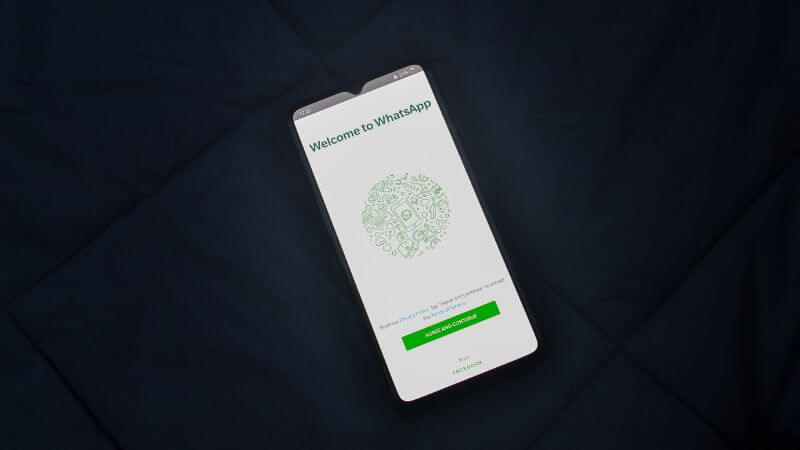
WhatsApp Deleted Messages
Pexels

Look, nobody should feel guilty about blocking someone on WhatsApp. This is not 2010 anymore, when digital boundaries seemed rude or unnecessary. We now understand that constant availability is not healthy; it’s exhausting. Your phone should make life easier, not fill it with anxiety every time it buzzes.

The statistics don’t lie. When people actively use these blocking and privacy features, they report feeling more in control of their digital lives. Less stress. Fewer interruptions. More genuine connections with people who actually matter. That’s a 78% reduction in unwanted contact? That’s peace of mind measured in numbers.

So go ahead. Block the persistent spammers. Silence those unknown international calls at 3 AM. Set your profile to private. Check your block list and add anyone who makes you feel uncomfortable. You don’t need permission, you don’t need a dramatic reason, and you definitely don’t need an explanation for yourself.

Conclusion

WhatsApp may be one of the easiest ways to stay connected, but it doesn’t mean you must accept spam, scams, or unwanted calls as part of daily life. With simple blocking tools and privacy settings, you can protect your space, reduce stress, and take back control of your digital boundaries. Your phone should support your peace of mind, and these features help ensure exactly that.

Follow Us: Facebook | X | Instagram | YouTube | Pinterest

WWDC24: Apple Unveils New Intelligence, Siri Enhancements, Call Recording, And Other Updates
Visa Vs MasterCard Vs RuPay: Key Differences You Must Know Before Choosing
Instagram Introduces Watch History Feature To Help Users Find Previously Viewed Reels
Google One India Diwali Offer 2025: 30GB To 2TB Plans At Massive Discounts
Airtel Users Get Free 1-Year Perplexity Pro: Step-By-Step Guide To Claim Your AI Subscription

Sign Up For Daily Newsletter

Be keep up! Get the latest breaking news delivered straight to your inbox.
[mc4wp_form]
By signing up, you agree to our Terms of Use and acknowledge the data practices in our Privacy Policy. You may unsubscribe at any time.
Share This Article
Facebook Whatsapp Whatsapp Reddit Email
What do you think?
Happy0
Love0
Sad0
Surprise0
Angry0
ByPrateesha Singh
Content Writer
Follow:
I’m a passionate writer and a graduate with a natural talent for storytelling. I find joy in both reading and writing. My commitment to social work enriches my literary journey. My journey is driven by a desire to make a difference through words and action.
Previous Article Transfer YouTube Music Playlist To Spotify Step-By-Step Guide To Transfer Or Import Playlists From Apple Music, YouTube Music, And More To Spotify
Next Article Motorola Edge 70 Price Features Motorola Edge 70 Launched In India: Price, Specs, Features And Availability

Stay Connected

21.5KLike
331Follow
789Pin
160Follow
- Advertisement -
banner banner
Create an Amazing Newspaper
Discover thousands of options, easy to customize layouts, one-click to import demo and much more.
Learn More

Latest News

OnePlus Pad 4 Price Specs
OnePlus Pad 4 With Snapdragon 8 Elite Gen 5 Launched In India: Full Specs And Price
Tablets
Lenovo Idea Tab Pro Gen 2 Specs
Lenovo Idea Tab Pro Gen 2 With 3.5K Display And 10,200mAh Battery Launched: Price And Specifications
Tablets
Instagram Instants App
Instagram Tests Instants App With Disappearing Photos To Rival Snapchat
Social Apps
Sennheiser CX 80U And HD 400U
Sennheiser CX 80U And HD 400U Launched In India With USB Type C Audio
Audio Gadget
TechotalesTechotales
Follow US
Copyright © Techotales | All Rights Reserved.
  • ABOUT US
  • DISCLAIMER
  • PRIVACY POLICY
  • CONTACT
  • TERMS OF USE
Popup Newsletter Image Techotales
Join Us!
Subscribe to our newsletter and never miss out the details on latest launches, tech news, gadgets etc...
[mc4wp_form]
We do not spam, you can unsubscribe at any time.