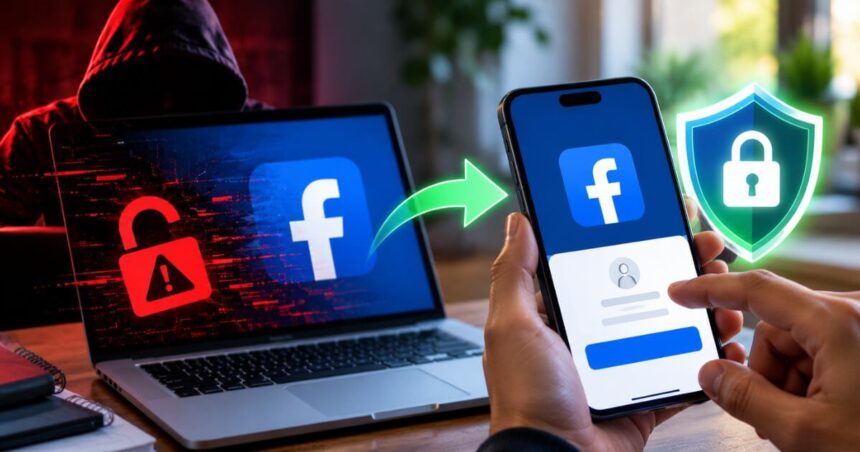
Having your Facebook account hacked can be stressful. Your account contains personal information, photos, contacts, messages and other details that you may not want someone else to access. A hacker may also use your account to post content, send messages or make changes to your profile.
Some signs are easy to spot. You may see posts or comments that you did not create. Your profile picture, password, email address or phone number may suddenly change. You could also receive alerts about unknown login attempts or find that two-factor authentication no longer works. In some cases, you may simply be unable to log in.
The good news is that Meta‘s Facebook has a dedicated recovery process for compromised accounts. Acting quickly can help you regain control.



How To Recover A Hacked Facebook Account
The first step is to use Facebook’s official hacked-account recovery page. Do not rely on links sent by unknown people claiming that they can recover your account. Facebook Hacked Account Recovery
Open the page on a phone, computer or another device that you have previously used to log in to Facebook. Using a familiar device can help with the recovery process.
Once the recovery page opens, enter a mobile number or email address that may be associated with your Facebook account. If you are entering a phone number, try including the country code. It is also worth checking older email addresses or phone numbers that you may have used with the account.
If you have also lost access to the email account connected to Facebook, try recovering that email account first. Access to the email inbox can be important for receiving Facebook’s recovery messages.
Change Your Facebook Password
If you are still able to access your Facebook account, change the password immediately. This can be done through Meta Accounts Centre.
Open Facebook and click your profile picture. Go to Settings and privacy, followed by Accounts Centre. Now select Password and security and choose Change password. Select your Facebook account and follow the instructions to create a new password.
Use a password that is difficult for others to guess. If you were using the same password on other websites or apps, it is also a good idea to change those passwords.
What If You Cannot Log In to Facebook?
If the normal recovery process does not work, Facebook provides another way to find your account.
Open: Facebook Account Identification Page
Enter an email address or mobile number that you believe is linked to your Facebook account. If that does not find your account, try entering your name or username.
It is particularly useful to try this process from a device that you have previously used to access Facebook. This could be your current smartphone, an old phone or a computer that you used regularly for Facebook.
What To Do After Finding Your Facebook Account
Once Facebook identifies your account, you may see different recovery options depending on what access is still available.
Select “No longer have access to these?” if you cannot access the email address or phone number shown. Facebook may ask you to provide new contact information. The new email address or phone number should not have previously been used with that Facebook account, according to the supplied recovery guidance.
You may also have to complete additional security checks to confirm that you own the account. Follow the instructions shown on screen. After successfully completing the checks, Facebook can provide instructions to reset your password.
Contact Facebook’s Grievance Officer
If the available self-service recovery options do not work, Facebook provides a grievance redressal mechanism. Facebook advises users to try the self-service recovery options first.
For users in India, the supplied guidance lists the Facebook Grievance Officer email as [email protected]. It also lists the following postal address:
Meta Platforms, Unit 28 and 29, The Executive Centre, Level 18, DLF Cyber City, Building No. 5, Tower A, Phase III, Gurgaon 122002, India.
The recovery process and options can vary depending on the account and the access you still have. Therefore, follow the instructions Facebook shows for your specific account rather than repeatedly trying unrelated recovery methods.
How To Protect Your Facebook Account After Recovery
Getting back into your account is only the first step. Once access is restored, review the account for changes that you did not make. Check your profile information, contact details and recent activity.
Also review the devices where your Facebook account is logged in. Remove access from devices or sessions that you do not recognise. Setting up two-factor authentication can provide an additional layer of protection against unauthorised logins.
It is also important to warn your contacts if the hacker sent messages or published suspicious posts from your account. Ask them not to click on unfamiliar links or respond to unusual requests sent while your account was compromised.
Conclusion
A hacked Facebook account can be recovered in many cases, but acting quickly is important. Start with Facebook’s official hacked-account recovery page and use a device that you have previously used to access the account. If you cannot find your account, try the account identification page using your old email address, phone number, name or username.
Once you regain access, change your password and review your account activity. If the self-service options do not work, Facebook’s grievance mechanism is another route available to users in India.
Follow Us: Facebook | X | Instagram | YouTube | Pinterest