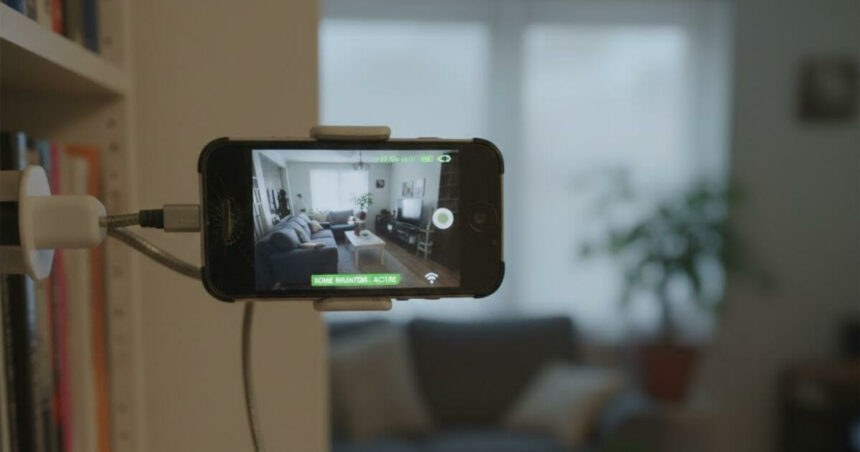
Millions of old smartphones lie unused in drawers across the country. Most of them still work perfectly fine, but people upgrade to newer models and forget about the old ones. Instead of throwing these phones away and adding to electronic waste, there’s a smarter option. You can turn your old smartphone into a home security camera. It is affordable, simple to set up, and surprisingly effective for basic home monitoring.
How To Set Up A Security Camera From An Old Smartphone?
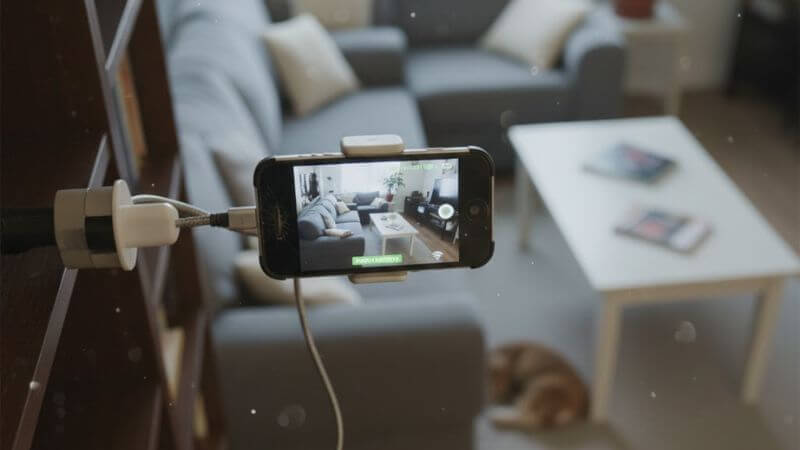
Get Your Old Phone Ready
You need two phones for this. The old one stays in place as the camera. Your current phone lets you watch the feed from anywhere. Charge the old phone and delete unnecessary apps. You don’t need to completely free up space.
Download A Security Camera App
Go to your App Store and search for a security camera app. Popular ones include AtHome Camera, Presence, Alfred, etc. Look for apps with good reviews and ratings above four stars.
Pick an app that has motion detection, recording options, and two-way audio. Install the same app on both phones.
Connect Both Phones
Open the app on both devices and create an account. Use the same login details on both phones. This is important because they need to talk to each other through the same account.
Follow the app’s instructions to pair them. Set the old phone as the camera and your current phone as the viewer.
Pick The Right Spot
Think about where you want to monitor. Front door, hallway, living room, or wherever makes sense.
Put the camera phone up high. You get a better view of the room, pets and kids can’t knock it down, and it covers more area.
Make sure these things work at your chosen spot:
More Read

- Wi-Fi signal: Test that the connection is strong enough for streaming.
- Power source: Keep it plugged in near an outlet. Use a power bank if outlets are too far.
- Camera angle: Point it to cover the most space. Don’t aim at windows or bright lights.
Test Everything
- Check that the live feed works on your viewing phone. Can you see it clearly? Does the video stream smoothly?
- Adjust the motion detection settings so you don’t get alerts every time a shadow moves. Set up notifications the way you want them.
- Test the audio if your app has that feature.
That’s it. You can now start monitoring and check your home from anywhere. At work, shopping, or out of town, you have eyes on your place.
Got more old smartphones? Set them up in different rooms using the same account for full coverage.
What This Set Up Can’t Do?
Old phones work fine for basic monitoring, but they have limits compared to real security cameras.
- Video quality: Older smartphones don’t record in high quality, especially at night. There is no night vision.
- Battery problems: Keeping the camera on all day drains the battery fast, even when plugged in.
- Indoor only: Old smartphones aren’t waterproof. You can’t use them outside without protection from rain and weather.
- Security risk: An old smartphone with outdated software can be easier to hack. Professional cameras usually have better encryption.
- Basic features: Real security cameras can tell the difference between people, cars, and packages. They record continuously and have better sensors.
- Needs checking: You have to make sure your DIY camera hasn’t overheated or lost connection.
These are the drawbacks. They don’t make it useless. It is a good backup system or a temporary solution until you buy proper cameras.
Conclusion
Using an old smartphone as a security camera makes sense for basic monitoring. You are not wasting money or throwing away a perfectly working device. It works well for indoor use, keeping an eye on pets, or checking on kids when you are away.
For serious security, especially outdoors, with weather protection and advanced detection features, investing in professional cameras is the better option. But starting with what you already have costs nothing and works fine for everyday situations.
Follow Us: Facebook | X | Instagram | YouTube | Pinterest