
In today’s digital world, online threats are prevalent, particularly on platforms like Instagram and Facebook. Whether for harassment, fraud, or malicious pranks, fake accounts mimicking real individuals can cause emotional distress or financial loss.
- The Rising Threat Of Online Impersonation
- Step 1: Confirm That The Account Is Truly Impersonating
- Step 2: Flag To Instagram
- Step 3: Warn Your Followers To Avoid Scams
- Step 4: Escalate Through Instagram Contact Support
- Step 5: Foundation For Serious Cases Of Legal Action
- Preventive Measures: Keep Impersonation At Bay
- Conclusion
If you or someone you know has been targeted, it is crucial to respond swiftly and systematically. This article will help you report a fake Instagram account to the community and safeguard your identity.
The Rising Threat Of Online Impersonation

More Read

In this digital-oriented age, cyber threats exist virtually everywhere, and one of the most popular platforms where cybercriminals have found their way is Instagram and Facebook. Fake accounts posing as real identities may be used to harass, defraud, or simply perpetrate malicious pranks, inflict emotional distress, damage reputations, or cost money. These impersonators can use stolen images, names, or create false information to mislead their new followers, spread misinformation, or cause a loss of trust, or go to the extent of ripping off unsuspecting users through direct messages or online contests.
If you or someone you know has been targeted, it is crucial to act promptly and methodically. This guide explains detailed steps to report fake Instagram profiles, warn your community, and protect your gender (replace with “identity” if that’s what you meant) with appropriate law enforcement and precautionary measures.
Step 1: Confirm That The Account Is Truly Impersonating
You must be certain that the account is actually impersonating you or somebody you know before you take any action. Some fan or parody accounts do not run afoul of Instagram policies by making it clear that they are not official.
Red flags include:
- Copying your full name, photos, bio, and personal information without your permission
- Texts that purport to be from you but are usually trying to cheat or manipulate someone
- Asking to send money, OTPs, or confidential information under the guise of your account
- Deceitful representation of you, which harms your presence or career reputation
Pro Tip: Screenshot the profile, posts, DMs, and screen names. Save profile URLs – they will be useful to make future reports or legal complaints.
Step 2: Flag To Instagram
Instagram has a special reporting mechanism for impersonation. You can use this via the mobile app and web browser.
On the Instagram Mobile App:
- Go to the imitation page
- Click on the three-dotted icon in the top-right of the toolbar
- Report → Report Account → It’s pretending to be someone else
- Select the option of “Me” or “Someone I know”
- Continue with the additional instructions and file your report
Web Form:
In all other cases, file an Instagram report through the specific impersonation reporting form. You will be required to upload a valid government-issued photo ID (passport, driver’s license, Aadhaar, etc.). Instagram will use this to verify your authenticity.
Instagram will usually evaluate impersonation complaints within a few days, but the turnaround time may depend on the complexity of the case.
Step 3: Warn Your Followers To Avoid Scams
Fake accounts usually go after somebody in your circle. Remind your friends, colleagues, and followers in time to avoid more damage.
Sample Alert Message:
“There is a bogus Instagram account pretending to be me. Do NOT respond, share personal information, or follow that account. I have reported it to Instagram, and I would ask you to do the same. Thank you!”
Get other people to report the account to have it removed – a couple of complaints can get Instagram to act much more quickly.
Step 4: Escalate Through Instagram Contact Support
Just because the fake account is still up after you report it does not mean you quit. Try these escalations:
- Re-report the profile via in-app and web reporting
- Visit the Instagram Help Center at https://help.instagram.com
- Tag or DM @Instagram or @Creators on X (Twitter) or Threads with details of your problem
- For business-verified accounts: Contact Meta Business Support in your Meta Business Suite dashboard
Persistence is important – repetitive reports can result in a faster resolution.
Step 5: Foundation For Serious Cases Of Legal Action
In cases where impersonation is more serious in nature, such as defamation, extortion, financial crimes, or harassment, you might need to consult law enforcement.
Legal Options in India:
- Report cybercrimes online at the official portal: https://cybercrime.gov.in
- Apply Section 66D of the IT Act, 2000, which criminalizes impersonation using electronic communication
- Report to the nearest cybercrime cell or police station by filing an FIR
- Get assistance from a cyber law advocate regarding a takedown order or legal notices
- Save all possible evidence: screenshots, links, reported messages, and ID proof to take legal action
Preventive Measures: Keep Impersonation At Bay
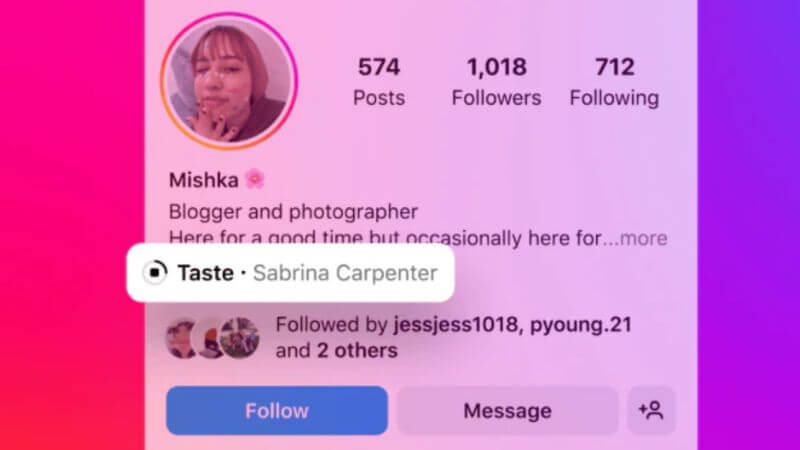
Although nothing is foolproof, the following strategies can greatly reduce the risk:
- Turn on Two-Factor Authentication (2FA): Adds an additional layer of security to your account by asking for a verification code during login.
- Protect Your Profile: Restrict access to photos, followers, and personal content, making it harder for impersonators.
- Minimize Sharing Personal Information: Avoid posting sensitive details like phone numbers, locations, or birthdates.
- Add a Unique Watermark to Photos: Deters people from stealing your graphics without permission.
- Periodic Monitoring: Search your name or username regularly to spot fake accounts early.
Conclusion
Handling fake accounts is a stressful matter, but being vigilant helps remove them with high success rates. Just put all the facts in writing, stay consistent in sending reports, and never fear seeking the assistance of the law when the situation is critical. Your internet safety and reputation are important.
Follow Us: Facebook | X | Instagram | YouTube | Pinterest