
By using this site, you agree to the Privacy Policy and Terms of Use.
Accept
TechotalesTechotalesTechotales
  • HOME
  • SMARTPHONES
  • BUSINESS
  • AI
  • AUTOMOBILE
  • TECHNOLOGY
  • TELECOM
  • WEARABLES
  • GADGET
  • TABLETS
  • FINANCE
  • APPS
  • TECH NEWS
  • GAMING
  • APPLIANCES
  • AUDIO
  • SOCIAL
  • LAPTOPS
  • CRYPTO
  • ABOUT US
  • DISCLAIMER
  • PRIVACY POLICY
  • CONTACT
  • TERMS OF USE
Copyright © Techotales | All Rights Reserved
Reading: How To Use Two WhatsApp Accounts On One Phone: Full Guide And Setup Steps
Notification Show More
TechotalesTechotales
  • HOME
  • SMARTPHONES
  • BUSINESS
  • AI
  • AUTOMOBILE
  • TECHNOLOGY
  • TELECOM
  • WEARABLES
  • GADGET
  • TABLETS
  • FINANCE
  • APPS
  • TECH NEWS
  • GAMING
  • APPLIANCES
  • AUDIO
  • SOCIAL
  • LAPTOPS
  • CRYPTO
Follow US
  • ABOUT US
  • DISCLAIMER
  • PRIVACY POLICY
  • CONTACT
  • TERMS OF USE
Copyright © Techotales | All Rights Reserved.
Techotales > Blog > Apps > How To Use Two WhatsApp Accounts On One Phone: Full Guide And Setup Steps
AppsTechnology

How To Use Two WhatsApp Accounts On One Phone: Full Guide And Setup Steps

A simple guide to setting up and switching between two WhatsApp accounts on the same phone.

Prateesha Singh
Last updated: November 26, 2025 10:38 PM
Prateesha Singh - Content Writer
Share
Steps To Setup Two WhatsApp Accounts On One Phone
SHARE

You don’t need to use two phones anymore to manage two WhatsApp accounts. WhatsApp has added a feature that allows you to run both accounts simultaneously on one device. You can switch between them with just one tap. This works great if you want to keep work messages away from personal chats. The setup takes about five minutes, and this guide shows you exactly how to do it.

Contents
  • What Do You Need First To Create A Dual WhatsApp Account?

    • Adding Your Second WhatsApp Account
    • Switching Between WhatsApp Accounts
    • Handling Notifications
  • Removing A WhatsApp Account
    • To Delete Permanently
  • Conclusion

What Do You Need First To Create A Dual WhatsApp Account?

WhatsApp
WhatsApp

More Read

Gemini And Claude Narrow The Gap With ChatGPT
Gemini And Claude Narrow The Gap With ChatGPT, Says New AI Report
Google Maps On Android Auto Finally Gets Built-In Speedometer And Speed Limit Display
WhatsApp Username Feature Explained: How You Can Chat Without Sharing Your Phone Number
Google Announces Finance App For Android: AI Insights, Portfolio Tracking And Live Market Data
Canva Launches Offline Mode, Lets Users Create And Edit Designs Without Internet For 14 Days

You need two phone numbers. That’s the main requirement. Each WhatsApp account needs its own number for verification.

You can only set up the second account on your main phone. After that, you can connect other devices, like tablets, to either account.

Both accounts run separately. Different profile photos, different status messages, different privacy settings. They don’t share anything.

You will get a notification from both accounts. But you have to switch to an account to read and reply to messages.

Adding Your Second WhatsApp Account

  • Open WhatsApp and tap the menu icon. Go to Settings.
  • Tap the icon next to your name and choose Add account.
  • Accept the terms and conditions and privacy policy.
  • Tap continue and wait for the verification code. It will arrive by text message. If it doesn’t arrive, request a phone call instead.
  • Type in the six-digit code.
  • Add your name and tap Next.
  • Upload a profile picture or skip this step.
  • Done. Your second account is active now.

Switching Between WhatsApp Accounts

On Android

Tap the menu icon. Choose Switch accounts. Pick the account you want.

On iOS

Tap Settings. Tap the profile icon. Select the account.

The account showing on screen is the active account. The other account is still running in the background and receives notifications.

Handling Notifications

You get notifications from both accounts, even when one is idle.

When someone calls, if you are in an idle account, a notification pops up. Tap ignore to skip the call. Tap Switch accounts to open that account and answer or decline.

Messages work the same way. Tap the notification, switch accounts, and reply.

Removing A WhatsApp Account
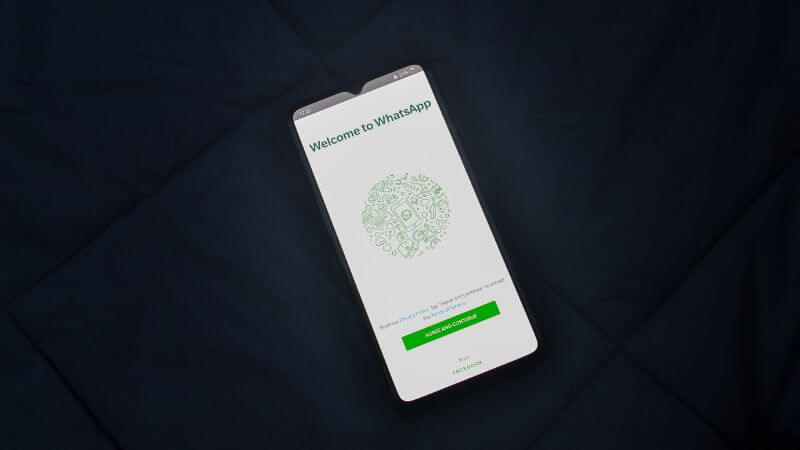
WhatsApp Deleted Messages
Pexels
  • To remove an account from your device:
  • Go to Settings, then Account, then Remove account.
  • Back up your chats first if you want to save them.
  • Confirm your number and tap Remove.
  • This only removes this account from this phone. Your groups and messages stay active. Other devices log out after 14 days.

To Delete Permanently

  • Go to Settings, Account, then Delete account.
  • Type your number and tap Delete account.
  • Choose a reason and confirm twice.

This deletes everything. All messages are gone. Removed from all the groups. No backup left. You can’t undo this.

The dual account feature makes life easier if you juggle personal and work conversations. Setup is quick, switching is instant, and both accounts work independently. Just keep both numbers active and update WhatsApp regularly.

Conclusion

WhatsApp’s dual account feature finally solves a problem millions of users have dealt with for years. You no longer need a second phone or messy workarounds. With two numbers running smoothly on one device, switching accounts feels natural and instant. Whether you manage clients, run a business, or simply want personal and professional chats separated, this update makes life easier. Just keep both SIMs active, and you’re good to go.

Follow Us: Facebook | X | Instagram | YouTube | Pinterest

Sign Up For Daily Newsletter

Be keep up! Get the latest breaking news delivered straight to your inbox.
[mc4wp_form]
By signing up, you agree to our Terms of Use and acknowledge the data practices in our Privacy Policy. You may unsubscribe at any time.
Share This Article
Facebook Whatsapp Whatsapp Reddit Email
What do you think?
Happy0
Love0
Sad0
Surprise0
Angry0
ByPrateesha Singh
Content Writer
Follow:
I’m a passionate writer and a graduate with a natural talent for storytelling. I find joy in both reading and writing. My commitment to social work enriches my literary journey. My journey is driven by a desire to make a difference through words and action.
Previous Article Quick Share Android iPhone Quick Share Brings Effortless Offline File Sharing Between Android And iPhone: How It Works
Next Article Qualcomm Snapdragon 8 Gen 5 Qualcomm Unveils Snapdragon 8 Gen 5: A New Flagship-Killer Chipset For 2025; Full Specs, Features, And Performance Gains

Stay Connected

21.5KLike
331Follow
789Pin
160Follow
- Advertisement -

							banner							
							banner
Create an Amazing Newspaper
Discover thousands of options, easy to customize layouts, one-click to import demo and much more.
Learn More

Latest News

Samsung Z Fold 8 Vs Samsung Z Fold 8 Ultra Price Specs
Samsung Galaxy Z Fold 8 Ultra Vs Galaxy Z Fold 8: Price, Specifications And Key Differences Explained
Smartphones
Samsung Z Fold 8 Ultra Price Specs
Samsung Galaxy Z Fold 8 Ultra Launched In India With 200MP Camera: Price, Specifications
Smartphones
Samsung Galaxy Watch Ultra 2 Price Specs
Samsung Galaxy Watch Ultra 2 Launches With AI Health Features, LTE And Snapdragon Wear Elite: Price, Specs
Wearables
Samsung Galaxy Z Flip 8 Price Specs
Samsung Galaxy Z Flip 8 Launched In India: Price, Specs, Colours And Launch Offers
Smartphones

Trending On Techotales

ChatGPT SuperApp Techotales
Artificial IntelligenceTech News

OpenAI Planning ChatGPT’s Biggest Upgrade Yet With Superapp Transformation Ahead Of IPO

9 Min Read
Jio Rs 200 OTT Plan
TelecomTech News

Jio Rs 200 OTT Plan Offers 15 OTT Platforms, Unlimited 5G And 1000 Live TV Channels

9 Min Read
Gemini WhatsApp Integration
AppsTech News

How Gemini Integration With WhatsApp Can Boost Your Productivity

8 Min Read
BSNL VoWifi
Telecom

BSNL CNAP Caller ID Feature Rollout Expected Soon Across India

6 Min Read
Previous Next
TechotalesTechotales
Follow US
Copyright © Techotales | All Rights Reserved.
  • ABOUT US
  • DISCLAIMER
  • PRIVACY POLICY
  • CONTACT
  • TERMS OF USE
Popup Newsletter Image Techotales
Join Us!
Subscribe to our newsletter and never miss out the details on latest launches, tech news, gadgets etc...
[mc4wp_form]
We do not spam, you can unsubscribe at any time.