By using this site, you agree to the Privacy Policy and Terms of Use.
Accept
TechotalesTechotalesTechotales
  • HOME
  • SMARTPHONES
  • BUSINESS
  • AI
  • AUTOMOBILE
  • TECHNOLOGY
  • TELECOM
  • WEARABLES
  • GADGET
  • TABLETS
  • FINANCE
  • APPS
  • TECH NEWS
  • GAMING
  • APPLIANCES
  • AUDIO
  • SOCIAL
  • LAPTOPS
  • CRYPTO
  • ABOUT US
  • DISCLAIMER
  • PRIVACY POLICY
  • CONTACT
  • TERMS OF USE
Copyright © Techotales | All Rights Reserved
Reading: Google Photos 2025 Recap: Steps To Turn Your Photos Into AI Highlight Videos
Notification Show More
TechotalesTechotales
  • HOME
  • SMARTPHONES
  • BUSINESS
  • AI
  • AUTOMOBILE
  • TECHNOLOGY
  • TELECOM
  • WEARABLES
  • GADGET
  • TABLETS
  • FINANCE
  • APPS
  • TECH NEWS
  • GAMING
  • APPLIANCES
  • AUDIO
  • SOCIAL
  • LAPTOPS
  • CRYPTO
Follow US
  • ABOUT US
  • DISCLAIMER
  • PRIVACY POLICY
  • CONTACT
  • TERMS OF USE
Copyright © Techotales | All Rights Reserved.
Techotales > Blog > Tech News > Google Photos 2025 Recap: Steps To Turn Your Photos Into AI Highlight Videos
Tech NewsTechnology

Google Photos 2025 Recap: Steps To Turn Your Photos Into AI Highlight Videos

Google Photos uses AI to transform a year’s worth of memories into a customisable video recap.

Prateesha Singh
Last updated: December 29, 2025 6:48 PM
Prateesha Singh - Content Writer
Share
Google Photos 2025 Recap To AI Highlight Video
SHARE

Most of us click hundreds, sometimes thousands, of photos every year. They sit quietly in our phones, rarely revisited once the moment passes. Google Photos is now trying to change that habit. With its new 2025 Recap feature, Google uses AI to turn your scattered photos and videos into a meaningful highlight reel. No manual editing. No hours spent trimming clips. Just a ready-made memory video that you can tweak if you want.

Contents
  • How Does It Work?
  • Editing Options
    • Quick Editing Tools
    • Advanced Editing With CapCut
  • Sharing Your Recap
  • What Do You Need To Get Started?
    • Enable Backup
    • Turn On Face Groups
    • Update Your App
  • Conclusion

How Does It Work?

Google Photos
Google

More Read

Google Pay Axis Bank Credit Card
Google Pay Launches Its First Credit Card In India With Axis Bank: Instant Cashback And UPI Support
Samsung Galaxy S25 Series: Features, Pricing, And How To Watch Galaxy Unpacked 2025 Live
Microsoft Paint Just Got Smarter With Copilot AI – Here’s What’s New
Steps To Use Now Bar And Now Brief Features On Samsung Galaxy S25 Series
A Step By Step Guide To Recover WhatsApp Deleted Messages

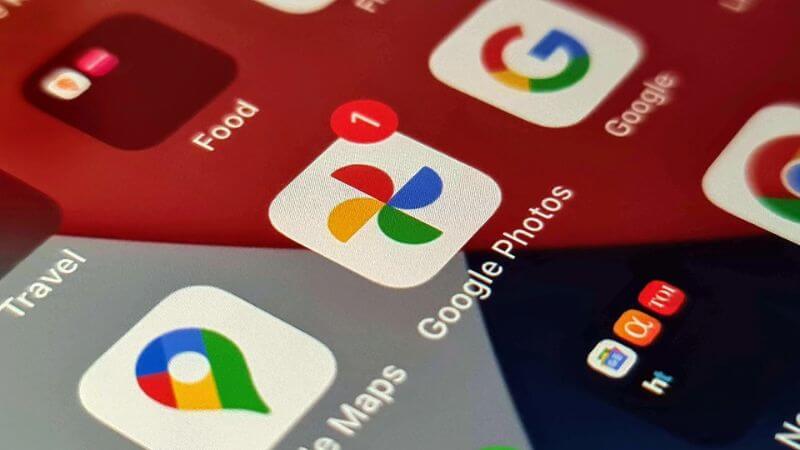
You will get a notification in the Google Photos app when your 2025 recap is ready. The video shows up in the Memories section at the top of the app. That’s where you normally see your daily memories and older photos that pop up.

Google AI looks through your photos from the entire year and picks out the best ones. It chooses based on image quality, who is in the photos, and what moments seem important. But you are not stuck with what it picks.

If there are people in the photos you don’t want in the video, just hide them and make it generate a new version. Maybe there is an ex you would rather forget or an awkward photo you hate. Remove it and regenerate. You can do this as many times as you want.

Editing Options

Google knows everyone wants different things from their recap, so it has added editing options for different skill levels.

Quick Editing Tools

The basic editing tools let you hide specific photos or people before regenerating the video. It is fast and simple. You don’t need any video editing experience to use these.

Advanced Editing With CapCut

Want more control? Google added CapCut integration for people who like to get creative. CapCut is a video editing app with professional tools. You can use it to add:

  • Custom transitions
  • Different music
  • Filters and effects
  • Text and captions
  • Better timing between clips

Casual users get a great video with minimal effort. Creative users can dive into the finer details and make something really polished.

Sharing Your Recap

Once your video is done, sharing is straightforward. You can send it directly to:

  • Social media like Instagram, Facebook, and X
  • Messaging apps like WhatsApp, Telegram, and Messenger
  • Email for family and friends

Google also lets you turn your highlights into photo books or collages. These are physical items you can hold, place on a shelf, or gift to someone. Sometimes it’s nice to have printed memories instead of everything staying on a screen.

What Do You Need To Get Started?

Before you can use the 2025 recap, check these three things.

Enable Backup

Your photos need to be backed up to Google Photos. Without backup, the AI can’t see your photos to make the recap. Open Google Photos, go to settings, and make sure backup is turned on.

Turn On Face Groups

This setting lets Google Photos recognise people in your photos. The AI uses this to make sure important people show up in your recap. Turn it on in settings under preferences.

Update Your App

Make sure you have the latest version of Google Photos. New versions include bug fixes and improvements that make the recap work better. Check your App Store for updates.

Conclusion

Honestly, this feature is genuinely useful. I have hundreds of photos from this year alone that I have never revisited. Having something that automatically turns them into a decent video saves a lot of time. The ability to customise it matters too, because AI doesn’t always get it right. Sometimes it picks weird photos or includes people you no longer want to see.

The CapCut integration is a smart move. Regular users get a ready-to-share video instantly, while those who care about details can fine-tune everything. It strikes a good balance between simplicity and control.

Overall, this makes Google Photos feel more like a memory tool instead of just a storage app. If other platforms copy this idea, even better. Competition always pushes products to improve faster.

Follow Us: Facebook | X | Instagram | YouTube | Pinterest

Best Tablet Deals On Amazon Great Freedom Festival 2025: iPad Air To OnePlus Pad 2
PayPal Partners With OpenAI’s ChatGPT To Enable Seamless Payments And Smarter Shopping
How To Turn Your Old Smartphone Into A Home Security Camera
Reliance’s JioHotstar Unveils AI Features: Riya, Voice Print, JioLenZ, And MaxView 3.0 Revolutionize Streaming
Google Introduces Its Latest AI Assistant Pixel Sense: Explore Top Features, And More

Sign Up For Daily Newsletter

Be keep up! Get the latest breaking news delivered straight to your inbox.
[mc4wp_form]
By signing up, you agree to our Terms of Use and acknowledge the data practices in our Privacy Policy. You may unsubscribe at any time.
Share This Article
Facebook Whatsapp Whatsapp Reddit Email
What do you think?
Happy0
Love0
Sad0
Surprise0
Angry0
ByPrateesha Singh
Content Writer
Follow:
I’m a passionate writer and a graduate with a natural talent for storytelling. I find joy in both reading and writing. My commitment to social work enriches my literary journey. My journey is driven by a desire to make a difference through words and action.
Previous Article CNAP TRAI Caller Name Display Jio, Airtel, Vi, And BSNL Roll Out CNAP Feature To Stop Scam And Silent Calls In India
Next Article SynthID Google Gemini AI Identify Images How To Identify AI-Generated Images And Videos Using Google’s Gemini App

Stay Connected

21.5kLike
331Follow
789Pin
160Follow
- Advertisement -
banner banner
Create an Amazing Newspaper
Discover thousands of options, easy to customize layouts, one-click to import demo and much more.
Learn More

Latest News

SynthID Google Gemini AI Identify Images
How To Identify AI-Generated Images And Videos Using Google’s Gemini App
Technology Tech News
CNAP TRAI Caller Name Display
Jio, Airtel, Vi, And BSNL Roll Out CNAP Feature To Stop Scam And Silent Calls In India
Telecom
Google Gemini AI Plans Compared
Google AI Pro And Google One Annual Plan Gets 50 Percent Discount: Here’s What You Pay
Artificial Intelligence Tech News
ChatGPT App Integrations Guide
OpenAI Launches ChatGPT App Directory: Connect Canva, Adobe, And More Inside Chats
Apps Tech News
TechotalesTechotales
Follow US
Copyright © Techotales | All Rights Reserved.
  • ABOUT US
  • DISCLAIMER
  • PRIVACY POLICY
  • CONTACT
  • TERMS OF USE
Popup Newsletter Image Techotales
Join Us!
Subscribe to our newsletter and never miss out the details on latest launches, tech news, gadgets etc...
[mc4wp_form]
We do not spam, you can unsubscribe at any time.