By using this site, you agree to the Privacy Policy and Terms of Use.
Accept
TechotalesTechotalesTechotales
  • HOME
  • SMARTPHONES
  • BUSINESS
  • AI
  • AUTOMOBILE
  • TECHNOLOGY
  • TELECOM
  • WEARABLES
  • GADGET
  • TABLETS
  • FINANCE
  • APPS
  • TECH NEWS
  • GAMING
  • APPLIANCES
  • AUDIO
  • SOCIAL
  • LAPTOPS
  • CRYPTO
  • ABOUT US
  • DISCLAIMER
  • PRIVACY POLICY
  • CONTACT
  • TERMS OF USE
Copyright © Techotales | All Rights Reserved
Reading: How To Turn Your Old Smartphone Into A Home Security Camera
Notification Show More
TechotalesTechotales
  • HOME
  • SMARTPHONES
  • BUSINESS
  • AI
  • AUTOMOBILE
  • TECHNOLOGY
  • TELECOM
  • WEARABLES
  • GADGET
  • TABLETS
  • FINANCE
  • APPS
  • TECH NEWS
  • GAMING
  • APPLIANCES
  • AUDIO
  • SOCIAL
  • LAPTOPS
  • CRYPTO
Follow US
  • ABOUT US
  • DISCLAIMER
  • PRIVACY POLICY
  • CONTACT
  • TERMS OF USE
Copyright © Techotales | All Rights Reserved.
Techotales > Blog > Gadget > How To Turn Your Old Smartphone Into A Home Security Camera
GadgetTechnology

How To Turn Your Old Smartphone Into A Home Security Camera

A simple DIY method to reuse old smartphones as home security cameras without spending extra money.

Prateesha Singh
Last updated: December 20, 2025 11:11 AM
Prateesha Singh - Content Writer
Share
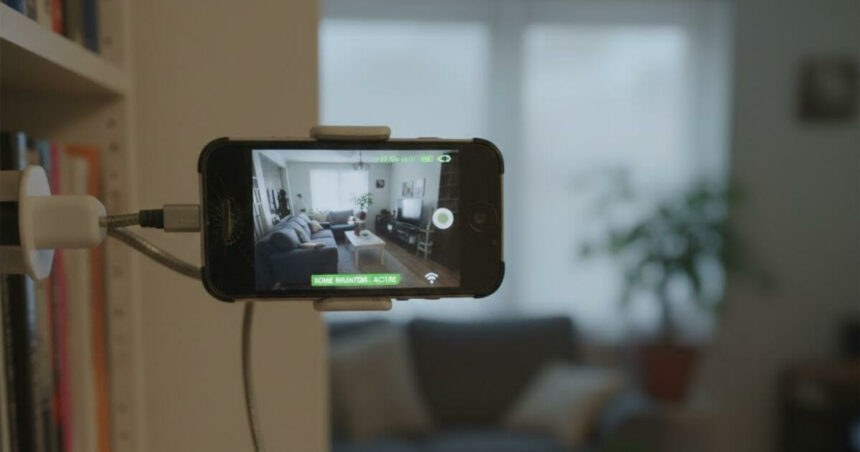
Old Smartphone Into A Home Security Camera
SHARE

Millions of old smartphones lie unused in drawers across the country. Most of them still work perfectly fine, but people upgrade to newer models and forget about the old ones. Instead of throwing these phones away and adding to electronic waste, there’s a smarter option. You can turn your old smartphone into a home security camera. It is affordable, simple to set up, and surprisingly effective for basic home monitoring.

Contents
  • How To Set Up A Security Camera From An Old Smartphone?
    • Test Everything
  • What This Set Up Can’t Do?
  • Conclusion

How To Set Up A Security Camera From An Old Smartphone?

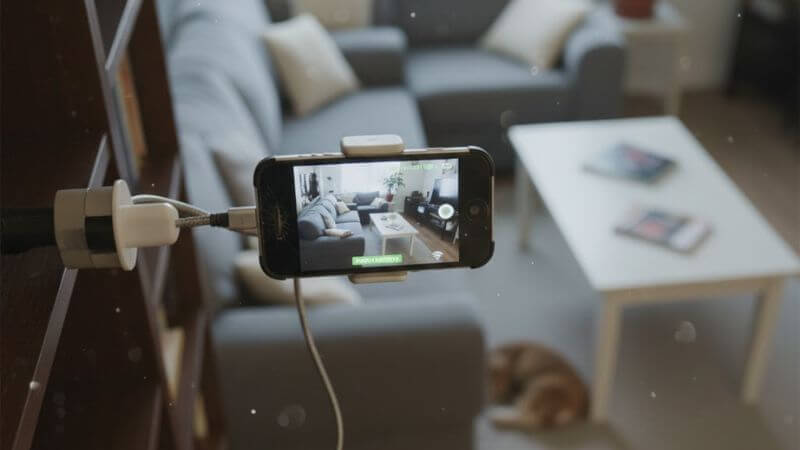
Smartphone Into Home Security Camera
AI Image/Gemini

Get Your Old Phone Ready

You need two phones for this. The old one stays in place as the camera. Your current phone lets you watch the feed from anywhere. Charge the old phone and delete unnecessary apps. You don’t need to completely free up space.

Download A Security Camera App

Go to your App Store and search for a security camera app. Popular ones include AtHome Camera, Presence, Alfred, etc. Look for apps with good reviews and ratings above four stars.

Pick an app that has motion detection, recording options, and two-way audio. Install the same app on both phones.

Connect Both Phones

Open the app on both devices and create an account. Use the same login details on both phones. This is important because they need to talk to each other through the same account.

Follow the app’s instructions to pair them. Set the old phone as the camera and your current phone as the viewer.

Pick The Right Spot

Think about where you want to monitor. Front door, hallway, living room, or wherever makes sense.

Put the camera phone up high. You get a better view of the room, pets and kids can’t knock it down, and it covers more area.

Make sure these things work at your chosen spot:

More Read

Google Gemini Prompts for Diwali
7 Best Google Gemini Prompts To Create Realistic Diwali Family Photos In 4K
Logitech K980 Solar Keyboard Launched In India: 10-Year Battery And Multi-Device Support
Become A Stranger Things Character: Best 7 Google Gemini AI Prompts That Put You In Hawkins
Best Google Gemini AI Prompts To Enhance Family Photos With Realistic Details
Mivi AI Buds TWS Earphones Launched In India With 40-Hour Battery, 5 AI Avatars, And ANC
  • Wi-Fi signal: Test that the connection is strong enough for streaming.
  • Power source: Keep it plugged in near an outlet. Use a power bank if outlets are too far.
  • Camera angle: Point it to cover the most space. Don’t aim at windows or bright lights.

Test Everything

  • Check that the live feed works on your viewing phone. Can you see it clearly? Does the video stream smoothly?
  • Adjust the motion detection settings so you don’t get alerts every time a shadow moves. Set up notifications the way you want them.
  • Test the audio if your app has that feature.

That’s it. You can now start monitoring and check your home from anywhere. At work, shopping, or out of town, you have eyes on your place.

Got more old smartphones? Set them up in different rooms using the same account for full coverage.

What This Set Up Can’t Do?

Old phones work fine for basic monitoring, but they have limits compared to real security cameras.

  • Video quality: Older smartphones don’t record in high quality, especially at night. There is no night vision.
  • Battery problems: Keeping the camera on all day drains the battery fast, even when plugged in.
  • Indoor only: Old smartphones aren’t waterproof. You can’t use them outside without protection from rain and weather.
  • Security risk: An old smartphone with outdated software can be easier to hack. Professional cameras usually have better encryption.
  • Basic features: Real security cameras can tell the difference between people, cars, and packages. They record continuously and have better sensors.
  • Needs checking: You have to make sure your DIY camera hasn’t overheated or lost connection.

These are the drawbacks. They don’t make it useless. It is a good backup system or a temporary solution until you buy proper cameras.

Conclusion

Using an old smartphone as a security camera makes sense for basic monitoring. You are not wasting money or throwing away a perfectly working device. It works well for indoor use, keeping an eye on pets, or checking on kids when you are away.

For serious security, especially outdoors, with weather protection and advanced detection features, investing in professional cameras is the better option. But starting with what you already have costs nothing and works fine for everyday situations.

Follow Us: Facebook | X | Instagram | YouTube | Pinterest

10 Best Google Gemini Prompts To Create Realistic Garba And Dandiya Images For Navratri 2025
Gemini AI: Here’s How To Upload Files On This AI-Powered App
What Is Alexa+? Amazon’s Next-Gen AI Voice Assistant, Features, Pricing, And More
Amazon Echo Show 5 (3rd Gen) Launched In India: Price, Specs, Features Explained
Amazon Launches Fire TV Stick 4K Select In India With Vega OS: Price, Features, And Specs

Sign Up For Daily Newsletter

Be keep up! Get the latest breaking news delivered straight to your inbox.
[mc4wp_form]
By signing up, you agree to our Terms of Use and acknowledge the data practices in our Privacy Policy. You may unsubscribe at any time.
Share This Article
Facebook Whatsapp Whatsapp Reddit Email
What do you think?
Happy0
Love0
Sad0
Surprise0
Angry0
ByPrateesha Singh
Content Writer
Follow:
I’m a passionate writer and a graduate with a natural talent for storytelling. I find joy in both reading and writing. My commitment to social work enriches my literary journey. My journey is driven by a desire to make a difference through words and action.
Previous Article WhatsApp Latest Update Features WhatsApp Latest Update Introduces Missed Call Messages, AI Images, And Smarter Video Calls
Next Article Instagram New Hashtags Rule Instagram Limits Hashtags To Five: What It Means For Creators

Stay Connected

21.5kLike
331Follow
789Pin
160Follow
- Advertisement -
banner banner
Create an Amazing Newspaper
Discover thousands of options, easy to customize layouts, one-click to import demo and much more.
Learn More

Latest News

ChatGPT App Integrations Guide
OpenAI Launches ChatGPT App Directory: Connect Canva, Adobe, And More Inside Chats
Apps Tech News
Instagram New Hashtags Rule
Instagram Limits Hashtags To Five: What It Means For Creators
Social Apps
WhatsApp Latest Update Features
WhatsApp Latest Update Introduces Missed Call Messages, AI Images, And Smarter Video Calls
Tech News Apps
Google Pay Axis Bank Credit Card
Google Pay Launches Its First Credit Card In India With Axis Bank: Instant Cashback And UPI Support
Finance Technology
TechotalesTechotales
Follow US
Copyright © Techotales | All Rights Reserved.
  • ABOUT US
  • DISCLAIMER
  • PRIVACY POLICY
  • CONTACT
  • TERMS OF USE
Popup Newsletter Image Techotales
Join Us!
Subscribe to our newsletter and never miss out the details on latest launches, tech news, gadgets etc...
[mc4wp_form]
We do not spam, you can unsubscribe at any time.