Samsung is doubling down on AI-powered experiences with the latest update to its voice assistant. Through the One UI 8.5 beta program, Bixby is getting smarter, more conversational, and significantly more useful for everyday tasks.
Instead of forcing users to remember rigid command phrases, the upgraded assistant focuses on natural language understanding. The goal is simple: let users talk to their phones the way they talk to people.
Talk To Your Phone Like A Normal Person
More Read

The biggest change with the Bixby update is how it handles requests. You don’t need to remember exact setting names or where things are buried in menus anymore. Just tell Bixby what you want in your own words, and it figures out what to do.
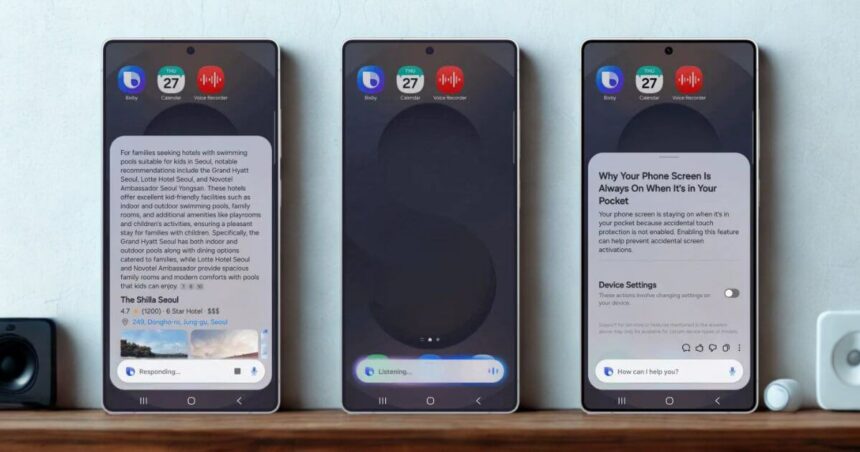
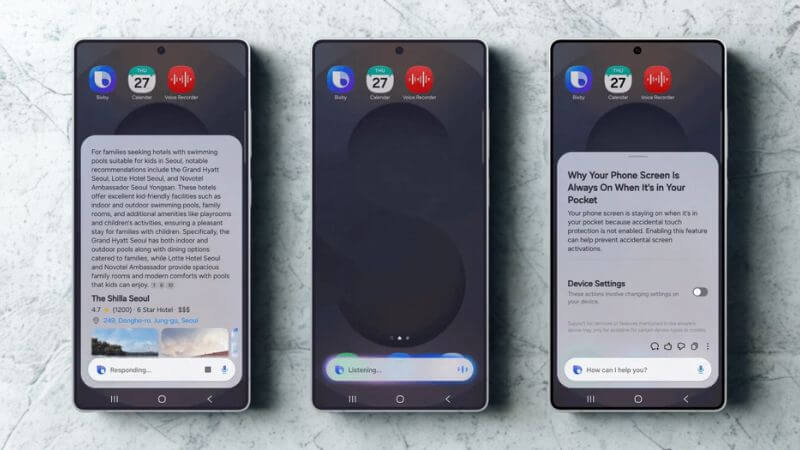
Say your screen keeps turning off while you’re reading something. Instead of hunting through settings menus, you can tell Bixby, “I don’t want the screen to time out while I’m still looking at it.” Bixby will turn on the right setting automatically. No more clicking through Display > Screen Timeout > adjusting sliders. It just works.
This matters because Android settings can be confusing. Features are scattered across different menus, and the names don’t always make sense. Bixby now acts as a translator between what you want and where the option actually lives on your phone.
Troubleshooting Gets Easier In New Bixby
The new Bixby doesn’t just change settings. It can also explain why your phone is doing something weird. If your screen keeps dimming at random times, ask Bixby about it. The assistant will check your current settings, identify what’s causing the problem, and suggest fixes.
This troubleshooting ability is genuinely useful for people who aren’t tech experts. Most smartphone problems come from settings getting changed accidentally or features working in ways users didn’t expect. Having an assistant who can diagnose and fix these issues through conversation saves trips to Google or customer support.
Web Search Built In
Samsung added direct web search to Bixby, which means you can get information without opening Chrome or Samsung Internet. Ask specific questions like “Find me hotels in Seoul that have swimming pools for kids,” and Bixby searches the web and shows results right there.
This isn’t groundbreaking technology. Google Assistant has done this for years. But it’s a necessary feature for any voice assistant trying to be useful in 2025. People expect their phone’s assistant to answer questions about the real world, not just control device settings.
The web search runs in real time, so you’re getting current information rather than outdated responses. That’s important for searches about business hours, weather, news, or anything else that changes frequently.
Where You Can Get It
The beta program started in six countries: Germany, India, Korea, Poland, the United Kingdom, and the United States. Samsung picked markets with different languages and user habits to test how well Bixby’s natural language processing works across cultures.
More countries will get access later, but Samsung hasn’t said when or where. The staged rollout makes sense; it’s easier to fix problems when you’re dealing with six markets instead of sixty.
Conclusion
Samsung began pushing AI features aggressively after launching what it called its first “AI Phone” in 2024. Since then, nearly every major update has added more AI-driven capabilities. This Bixby upgrade fits neatly into that broader strategy.
For everyday users, this could finally make voice assistants feel practical rather than gimmicky. If Bixby consistently understands natural language and solves real problems without friction, more people might actually start using it as part of their daily smartphone routine.
Follow Us: Facebook | X | Instagram | YouTube | Pinterest